

Bug Reports - iOS
Let users report bugs from inside your iOS app. Built-in or custom UI, screenshots, attachments, theming and shake to report
Bug reports enable users to report issues directly from the app. There are two ways to use the bug reporting feature:
- Built-in Experience: Use the default bug report interface provided by the SDK.
- Custom Experience: Build a custom bug reporting UI and use the SDK to track bug reports programmatically.
Additionally, the SDK supports using shake gestures to launch the bug reporting flow, allowing users to report bugs quickly and easily without having to navigate through the app.
Session Timeline
When a bug report is captured, it automatically comes with a session timeline that includes all events that occurred 5 minutes before the bug report was submitted. This provides rich context to help diagnose and fix the reported issue.
Built-in Experience
Launch the default bug report interface using Measure.launchBugReport. A screenshot can be automatically taken and added to the bug report. Users can remove or add more attachments in the UI.
| Dark Mode | Light Mode |
|---|---|
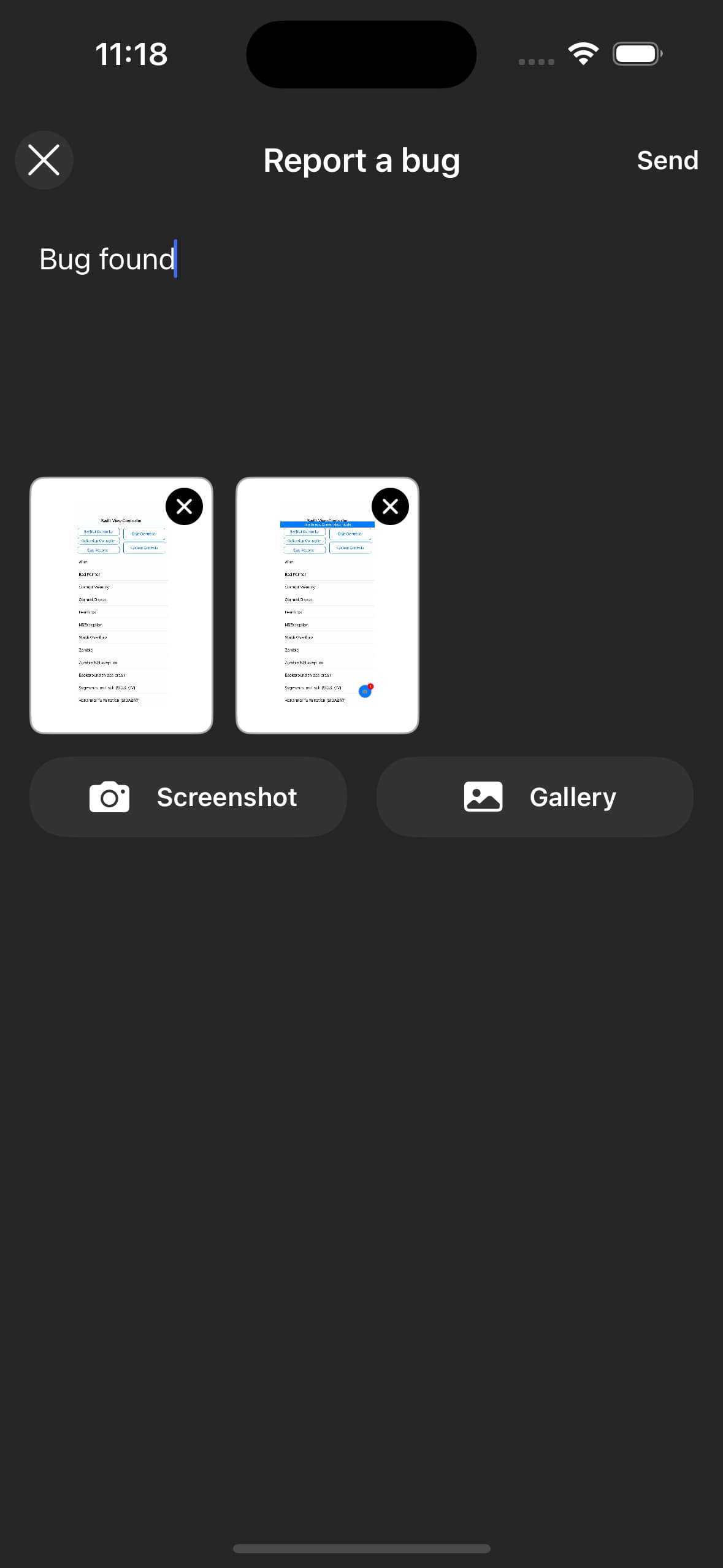 | 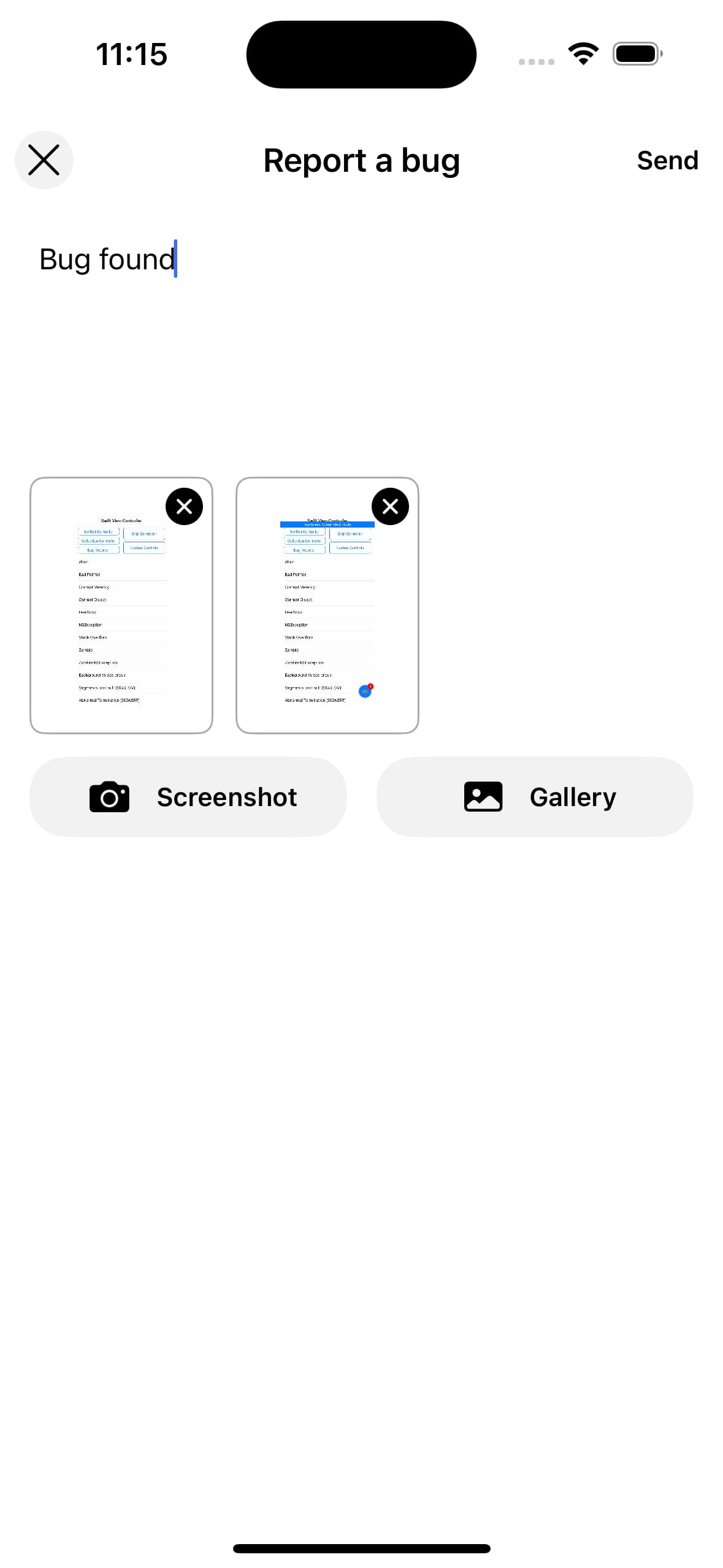 |
When the screenshot button is clicked, a floating screenshot and exit button appear. Users can traverse through the app and take screenshots of the relevant screen.
Example Usage
Measure.launchBugReport(takeScreenshot: true)To disable taking a screenshot when launching, set takeScreenshot: false:
Measure.launchBugReport(takeScreenshot: false)You can also pass a custom UI config and attributes:
let color = BugReportConfig.default.colors.update(isDarkMode: false)
let config = BugReportConfig(colors: color)
let attributes: [String: AttributeValue] = ["user_id": .string("12345")]
Measure.launchBugReport(takeScreenshot: true, bugReportConfig: config, attributes: attributes)
Currently, you can have a maximum of 5 attachments and a description length of 4000 characters.
Theming
You can customize the appearance of the bug report UI using BugReportConfig. To set the theme, update the colors using .update(isDarkMode: ...) and pass the result to the BugReportConfig initializer.
Check out BugReportConfig to see all the configurable tokens.
Example Usage
let color = BugReportConfig.default.colors.update(isDarkMode: false)
let dimensions = MsrDimensions(
    topPadding: 20
)
let config = BugReportConfig(colors: color, dimensions: dimensions)
Measure.launchBugReport(takeScreenshot: true, bugReportConfig: config)
Custom Experience
You can build a custom bug reporting UI and use the SDK to track bug reports programmatically.
Example Usage
Measure.captureScreenshot(for: viewController) { screenshot in
    Measure.trackBugReport(
        description: "Items from cart disappear after reopening the app",
        attachments: [screenshot].compactMap { $0 },
        attributes: ["is_premium": .bool(true)]
    )
}
Attachments
Bug reports can include up to 5 attachments such as screenshots.
Example Usage
Measure.captureScreenshot(for: viewController) { screenshot in
    guard let screenshot else { return }
    Measure.trackBugReport(description: "Bug description", attachments: [screenshot], attributes: nil)
}
Add Attributes
You can attach additional contextual data to bug reports, such as user state or app configuration.
Example Usage
let attributes: [String: AttributeValue] = [
    "is_premium_user": .bool(true),
    "user_id": .string("12345")
]
Measure.launchBugReport(attributes: attributes)
Or with custom bug reports:
Measure.trackBugReport(description: "Bug description", attachments: [], attributes: attributes)Shake to Report Bug
A shake listener can be set up to allow users to report bugs by shaking their device. This is particularly useful for quickly reporting issues without navigating through the app.
To set up a shake listener, use the onShake method and pass a closure. This closure will be called whenever a shake gesture is detected.
You can either launch the default bug report interface using launchBugReport, or implement your own custom UI.
The listener can get called multiple times if the device is shaken multiple times in quick succession.
The launchBugReport method handles this by ensuring that the bug report interface is only launched once.
However, if you implement a custom UI, you may need to handle this logic yourself.
Measure.onShake {
    Measure.launchBugReport(takeScreenshot: true, bugReportConfig: BugReportConfig.default, attributes: nil)
}
To disable the shake listener, use:
Measure.onShake(nil)Think this page can be better?
Open an issue