

Bug Reports - Android
Let users report bugs from inside your Android app. Built-in or custom UI, screenshots and shake to report.
Bug reports enable users to report issues directly from the app. Measure SDK provides two approaches to implement bug reporting.
Session Timeline
When a bug report is captured, it automatically comes with a session timeline that includes all events that occurred 5 minutes before the bug report was submitted. This provides rich context to help diagnose and fix the reported issue.
Built-in Experience
Launch the default bug report interface using Measure.launchBugReportActivity. A screenshot is automatically taken when this method is called and added to the bug report. Users can choose to remove the screenshot if they wish.
| Dark Mode | Light Mode |
|---|---|
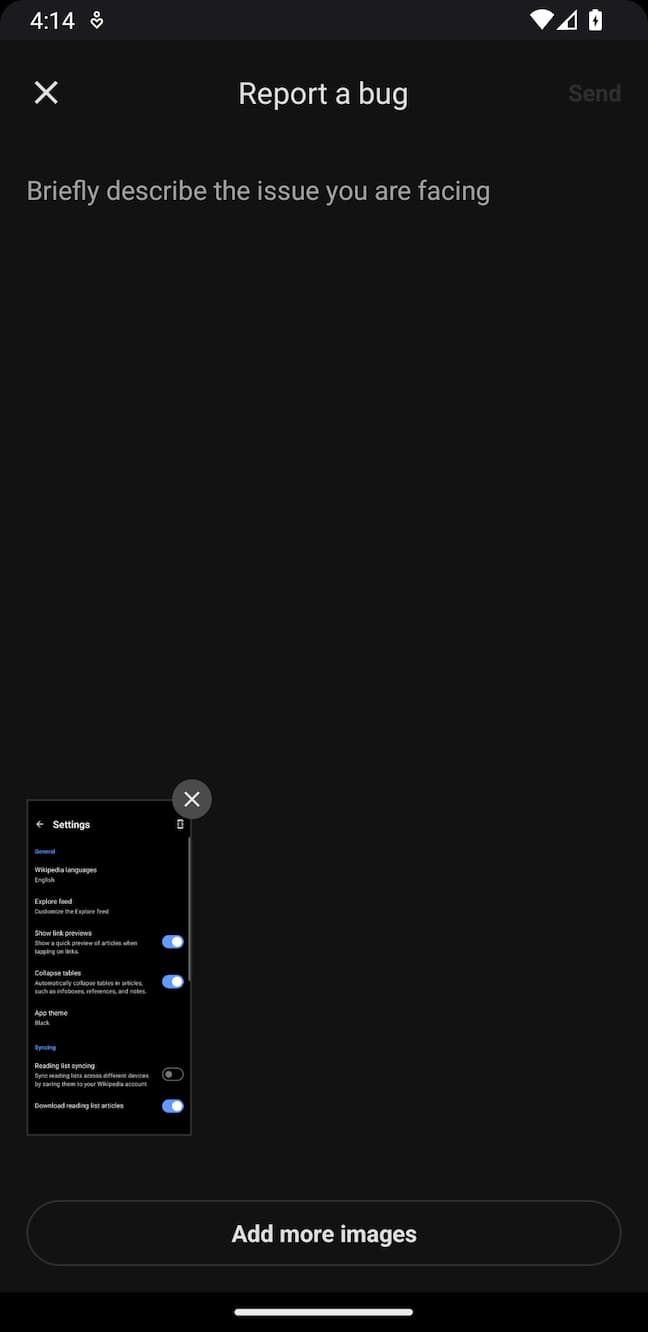 | 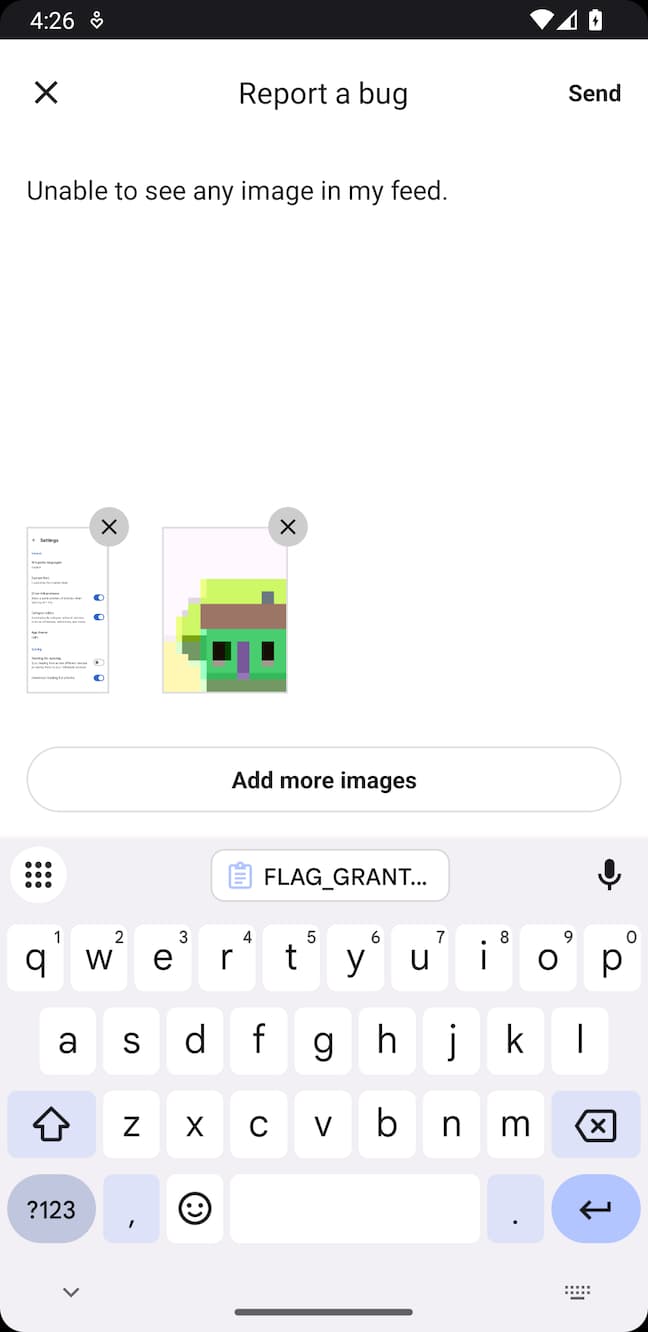 |
Usage:
Measure.launchBugReportActivity()To disable taking a screenshot when this method is called, pass in a parameter:
Measure.launchBugReportActivity(takeScreenshot = false)Theming
You can apply a custom theme by overriding any of the values in the theme: themes.xml.
For more details on customizing themes, refer to the Android documentation on theming.
Permissions
Users can add images from gallery to report bugs. We rely on
the androidx-activity photo picker.
This requires no additional permissions to be declared in the app's manifest.
The new photo picker UI is only available on Android 11 (API level 30) and above. For devices running Android 10 (API
level 29) and below, this falls back to using ACTION_OPEN_DOCUMENT to select images from the gallery. Optionally, to
achieve a consistent experience across all Android versions, you can follow the instructions in the
official documentation to
install a back-ported version of the photo picker.
If you are using Measure SDK version 0.11.0 or earlier, you'll need the READ_MEDIA_IMAGES permission
to allow users to select images from the gallery. Without this permission, the button to select images
from gallery will not be visible.
Custom Experience
You can build a custom experience to match the look and feel of your app. Once the bug report is entered by the user, trigger the Measure.trackBugReport method.
// Track the bug report
Measure.trackBugReport(description = "Items from cart disappear after reopening the app")
Attachments
Bug reports can be enhanced with attachments. A maximum of 5 attachments can be added per bug report.
You can add attachments to bug reports in the following ways:
Capture Screenshot
Capture a screenshot using captureScreenshot. This function must be called from the main thread.
private val attachments = mutableListOf<MsrAttachment>()

Measure.captureScreenshot(activity, onComplete = { attachment ->
    attachments.add(attachment)
})

Measure.trackBugReport(
    description = "Items from cart disappear after reopening the app",
    attachments = attachments
)
For privacy, screenshots can be masked with the same configuration provided during SDK initialization. See all the configuration options here.
Add Image from Gallery
To add images selected by a user from the gallery, use imageUriToAttachment to convert the Uri to an Attachment.
Ensure the Uri has the FLAG_GRANT_READ_URI_PERMISSION permission granted, as shown in the example below.
private val attachments = mutableListOf<MsrAttachment>()

registerForActivityResult(
    ActivityResultContracts.GetContent()
) { uri ->
    uri?.let {
        // Ensure the Uri has this permission to be able to read the image content
        context.contentResolver.takePersistableUriPermission(
            uri,
            Intent.FLAG_GRANT_READ_URI_PERMISSION
        )

        // This will compress the image and convert it into an attachment
        Measure.imageUriToAttachment(context, uri) { attachment ->
            attachments.add(attachment)
        }
    }
}
// Restrict picker to only allow selecting images
    .launch("image/*")

Measure.trackBugReport(
    description = "Items from cart disappear after reopening the app",
    attachments = attachments
)
Limits
- Each bug report can have a maximum of
5attachments. - The bug report description can have a maximum length of
4000characters.
Add Attributes
Attributes allow attaching additional contextual data to bug reports. This helps in adding relevant information about the user's state, app configuration or other metadata that can help with debugging.
- Attribute keys must be strings with a maximum length of 256 characters.
- Attribute values must be one of the primitive types:
int,long,double,floatorboolean. - String attribute values can have a maximum length of 256 characters.
Add attributes when the Bug Report Activity is launched:
val attributes = AttributesBuilder().put("is_premium", true).build()
Measure.launchBugReportActivity(takeScreenshot = true, attributes = attributes)
or, when trackBugReport is called:
val attributes = AttributesBuilder()
    .put("is_premium_user", true)
    .build()
Measure.trackBugReport(description = "...", attributes = attributes)
Shake to Report Bug
A shake listener can be set up to allow users to report bugs by shaking their device. This is particularly useful for quickly reporting issues without navigating through the app.
To set up a shake listener, use the setShakeListener method. The listener will be triggered when a shake is detected,
use the launchBugReportActivity method to open the bug report interface or implement a custom UI.
The listener can get called multiple times if the device is shaken multiple times in quick succession.
The launchBugReportActivity method handles this by ensuring that the bug report interface is only launched once.
However, if you implement a custom UI, you may need to handle this logic yourself.
Measure.setShakeListener(object : MsrShakeListener {
    override fun onShake() {
      val attributes = AttributesBuilder().put("is_premium", true).build()
      Measure.launchBugReportActivity(takeScreenshot = true, attributes = attributes)
    }
})
To disable the shake listener, use:
Measure.setShakeListener(null)Benchmarks
The bug reporting flow involves loading images from the file system or capturing screenshots, which might lead to increased memory and CPU consumption. The following Perfetto traces can help in debugging any potential bottlenecks:
msr-captureScreenshot— time spent on the main thread to capture and compress a screenshot.msr-loadImageFromFile— time spent on the main thread to load an image from a file.msr-loadImageFromUri— time spent on the main thread to load an image from a Uri.
Think this page can be better?
Open an issue