

Bug Reports - React Native
Let users report bugs from inside your react native app. Built-in or custom UI, screenshots, attachments, i18n and shake to report.
Bug reports enable users to report issues directly from the app. Measure SDK provides two approaches to implement bug reporting.
Session Timeline
When a bug report is captured, it automatically comes with a session timeline that includes all events that occurred 5 minutes before the bug report was submitted. This provides rich context to help diagnose and fix the reported issue.
Built-in Experience
Launch the default bug report interface using Measure.launchBugReport. A screenshot is automatically taken when this
method is called and added to the bug report. Users can choose to remove the screenshot if they wish.
| Platform | Dark Mode | Light Mode |
|---|---|---|
| iOS | 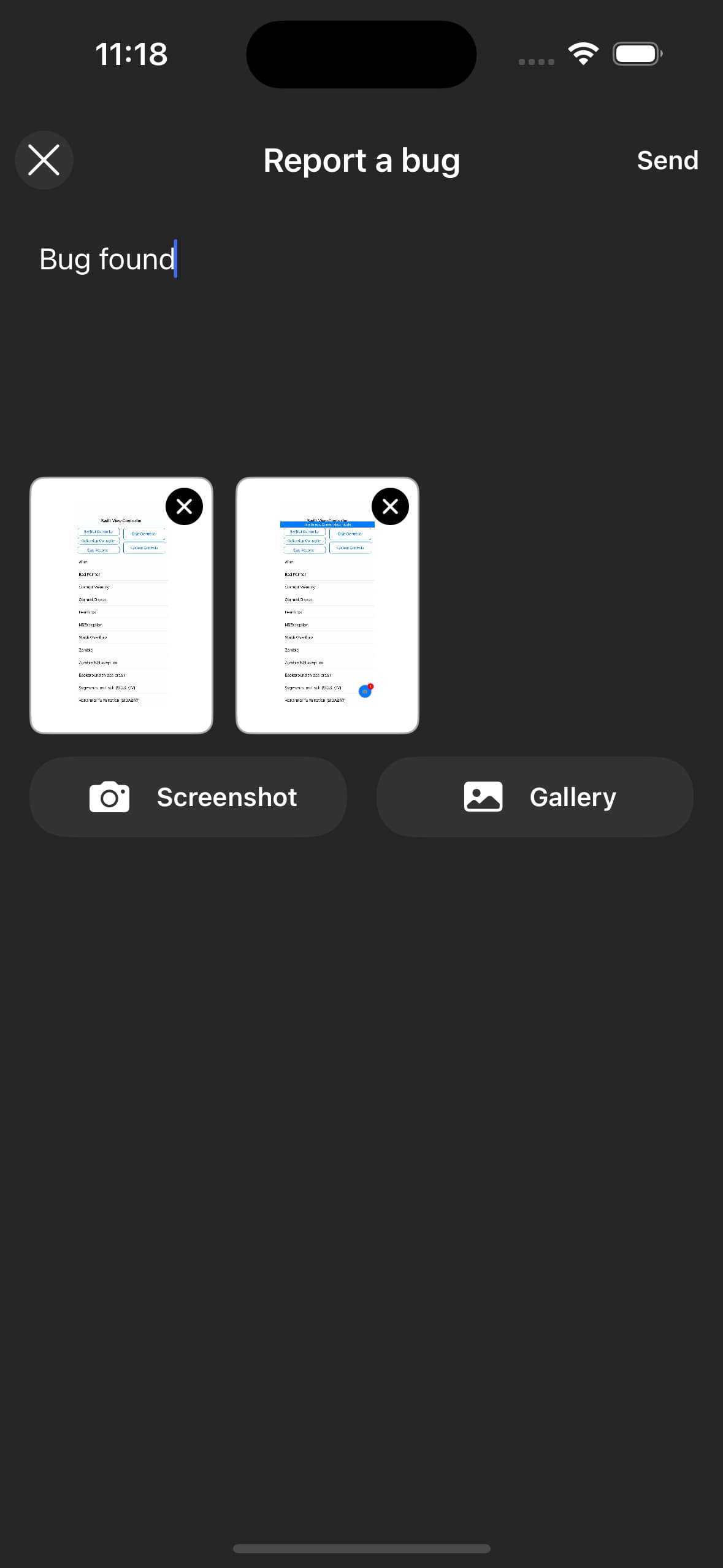 | 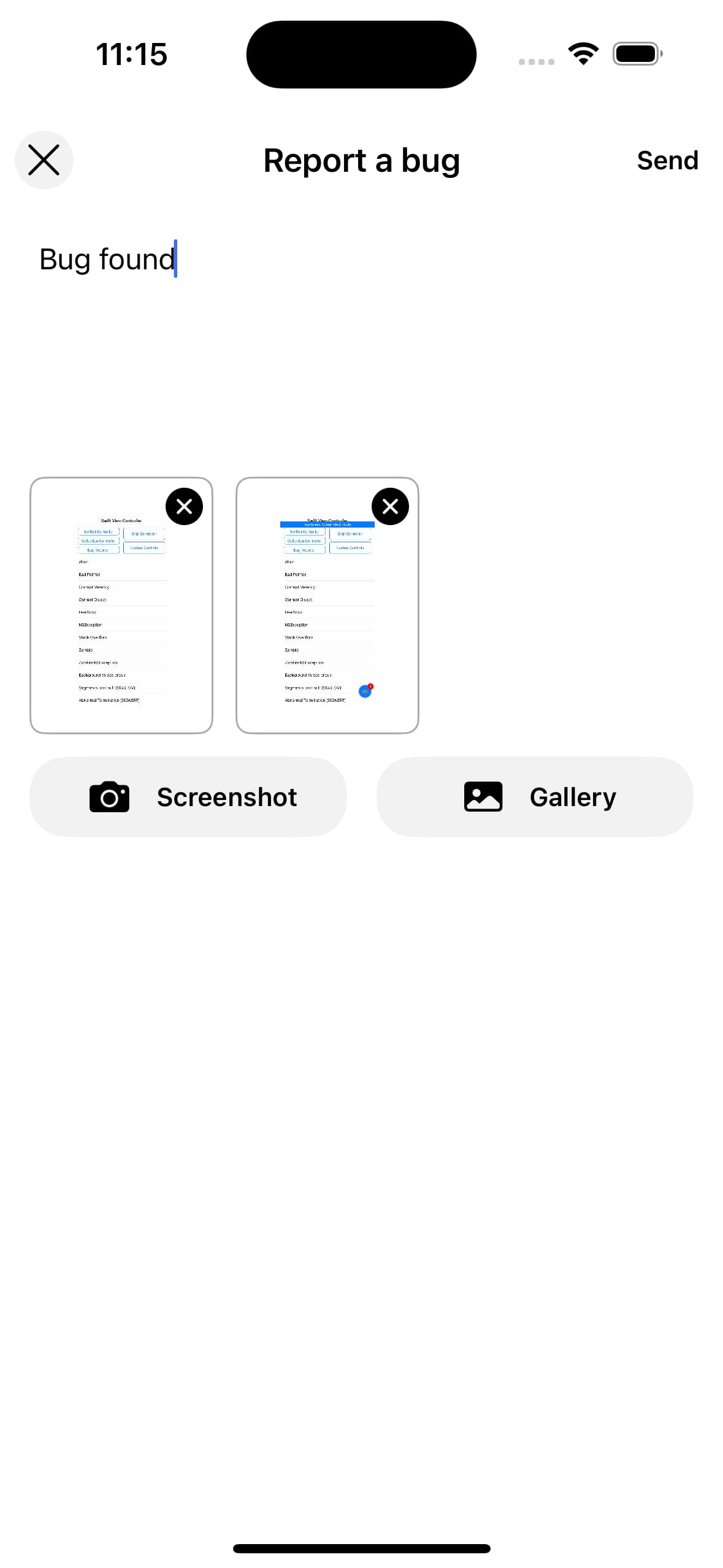 |
| Android | 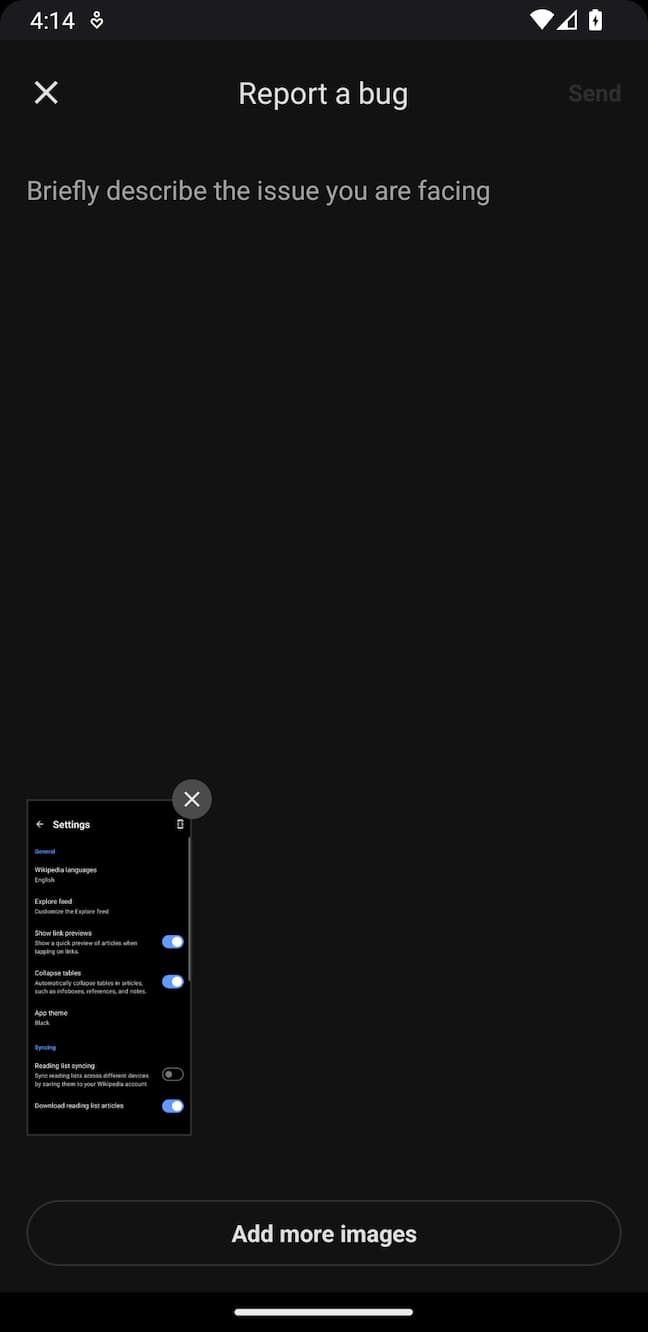 | 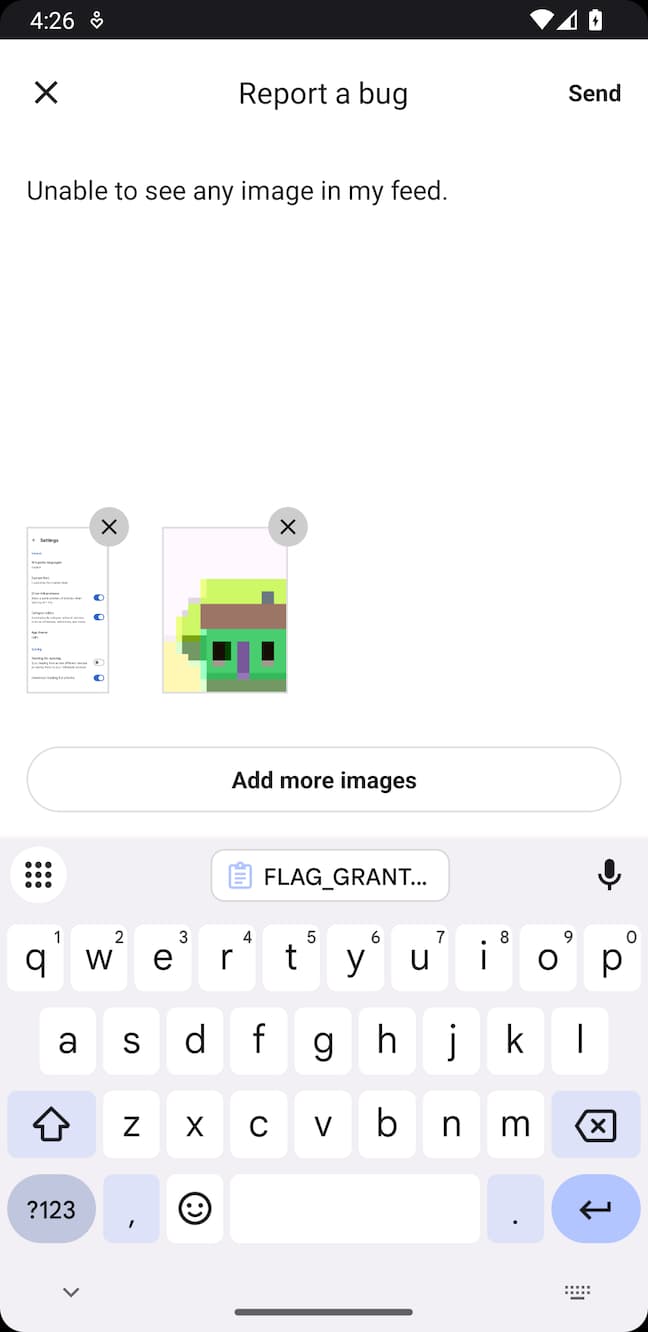 |
import { Measure } from '@measuresh/react-native';

Measure.launchBugReport();
To disable taking a screenshot:
Measure.launchBugReport({ takeScreenshot: false });Custom Experience
You can build a custom experience to match the look and feel of your app. Once the bug report is entered by the user,
call Measure.trackBugReport.
Measure.trackBugReport({ description: "Items from cart disappear after reopening the app" });Attachments
Bug reports can be enhanced with attachments. A maximum of 5 attachments can be added per bug report.
Capture Screenshot
Capture a screenshot using captureScreenshot. The screenshot is automatically redacted based on the
screenshotMaskLevel configuration.
const screenshot = await Measure.captureScreenshot();

if (screenshot) {
  await Measure.trackBugReport({
    description: "Items from cart disappear after reopening the app",
    attachments: [screenshot],
  });
}
For privacy, screenshots can be masked with the same configuration provided during SDK initialization. See all the configuration options here.
Limits
- Each bug report can have a maximum of
5attachments. - The bug report description can have a maximum length of
4000characters.
Add Attributes
Attributes allow attaching additional contextual data to bug reports.
- Attribute keys must be strings with a maximum length of 256 characters.
- Attribute values must be one of the primitive types:
string,number, orboolean. - String attribute values can have a maximum length of 256 characters.
Pass attributes when launching the built-in experience:
Measure.launchBugReport({ takeScreenshot: true, attributes: { is_premium: true, screen: "Cart" } });or when calling trackBugReport:
Measure.trackBugReport({
  description: "Items from cart disappear",
  attributes: { is_premium: true, screen: "Cart" },
});
Shake to Report Bug
A shake listener can be set up to allow users to report bugs by shaking their device. This is useful for quickly reporting issues without navigating through the app.
import { Measure } from '@measuresh/react-native';

Measure.onShake({ handler: () => {
  Measure.launchBugReport();
} });
To disable the shake listener:
Measure.onShake({ handler: null });The listener can be called multiple times if the device is shaken multiple times in quick succession.
launchBugReport handles this by ensuring the bug report interface is only launched once.
Think this page can be better?
Open an issue