



Measure for iPadOS 
Measure is an open source, mobile first monitoring platform with full support for iPadOS. It surfaces the complete context behind every crash and performance issue to help you cut crash and error rates, sharpen performance and keep your iPad app feeling effortless.
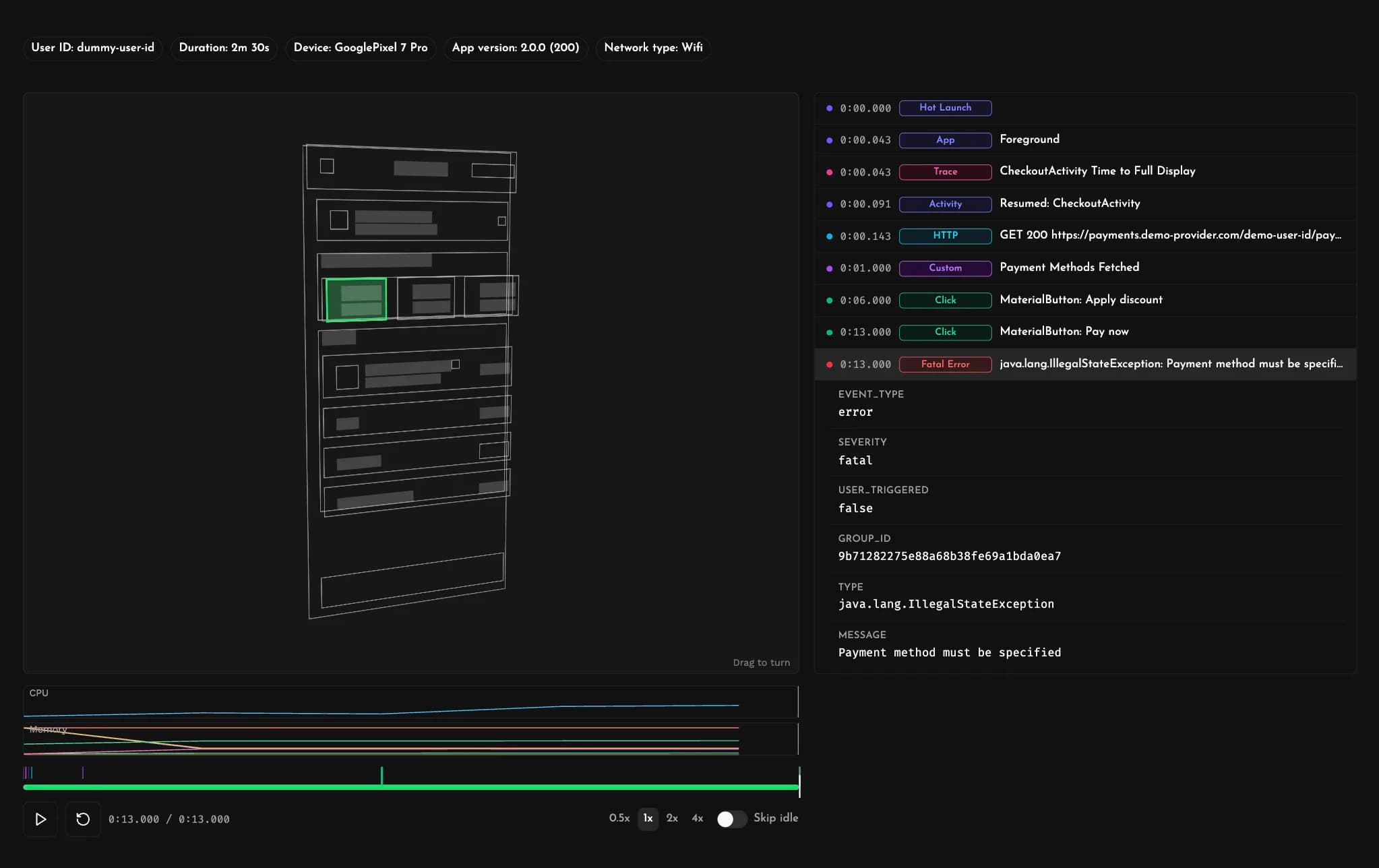
Session Replays
Every crash and error on iPad comes with a complete Session Replay you can replay. Walk back through the exact run-up to the failure — gestures, screen navigation, network calls, logs and lifecycle events — with CPU and memory readings plotted right alongside.
A stack trace only tells you where things broke. The replay shows how your app got there and what the user was doing in the moments before failure.
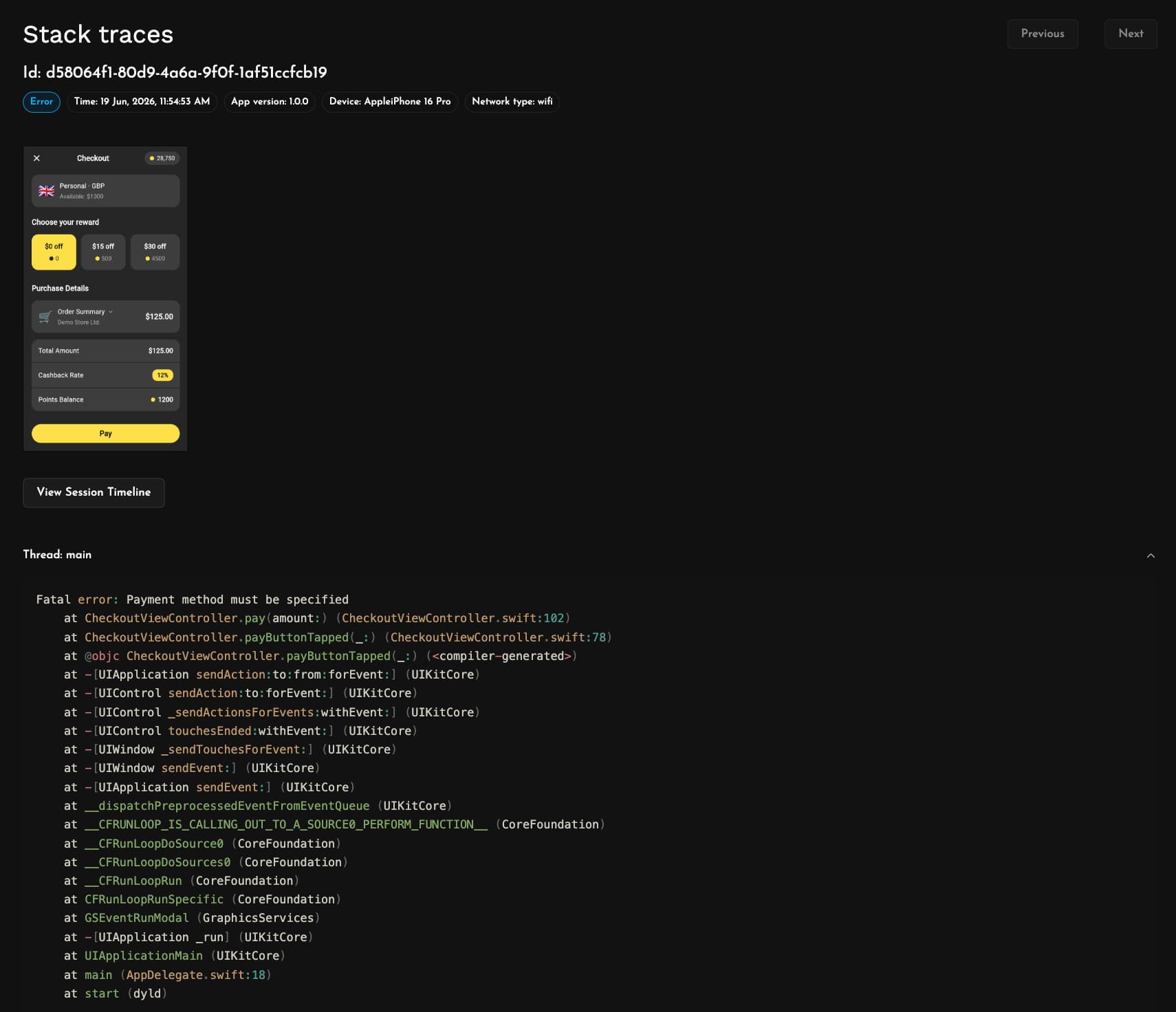
Detailed Stack Traces
Every crash report carries a complete, multi-threaded stack trace, so you can inspect what each thread was up to, not just the one that failed.
Measure symbolicates them for you, mapping raw memory addresses back to the original function names, files and line numbers in your Swift and Objective-C code. Upload your dSYMs through the Xcode build phase or straight from your .xcarchive and let Measure worry about the symbolication so you can stay focused on the fix.
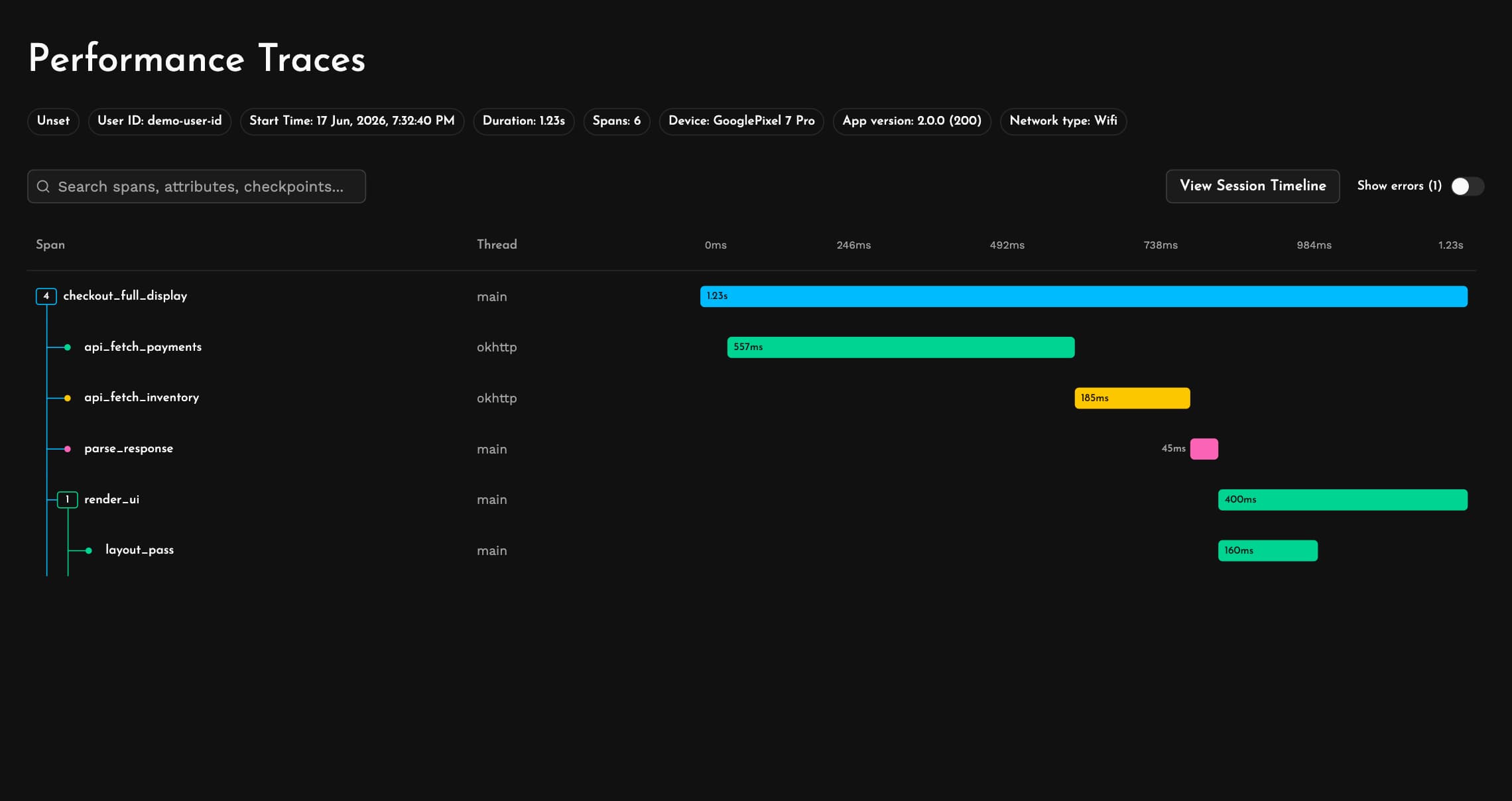
Performance Monitoring
Wrap the operations that matter in Performance Traces. See how network requests, disk and database access, expensive code paths and the rendering of those larger iPad layouts accumulate within a single flow or across millions of sessions with waterfall views that make the slow parts obvious.
Every trace comes with full device and app context and ties back to its session replay, so a slow span never shows up without the conditions that produced it.
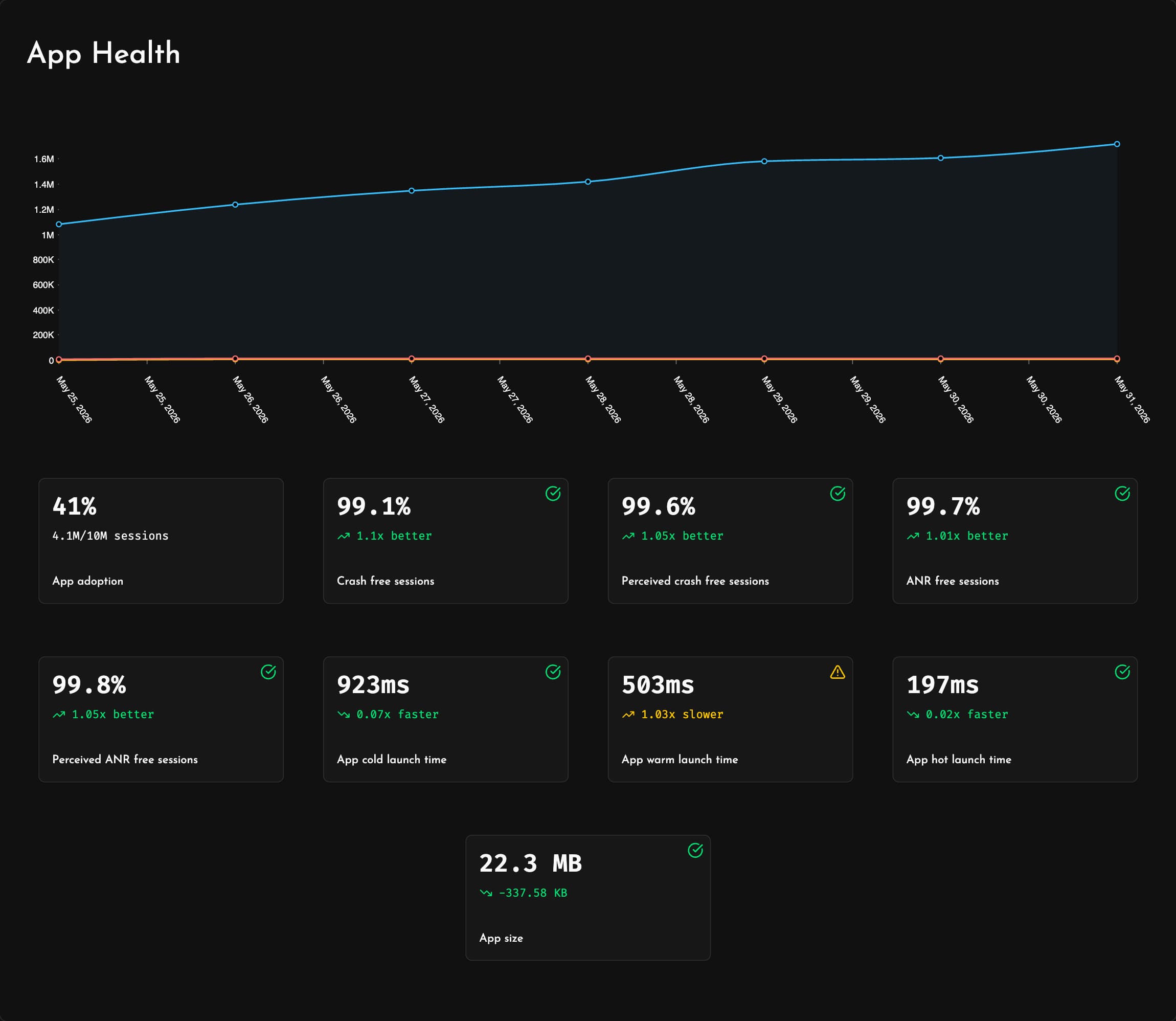
App Health
Track the health of every release in one place with App Health. Monitor adoption, error rates, launch times and more core app metrics in one unified view.
Notice a shaky rollout early and patch it before it spreads to the rest of your users.
Bug Reports
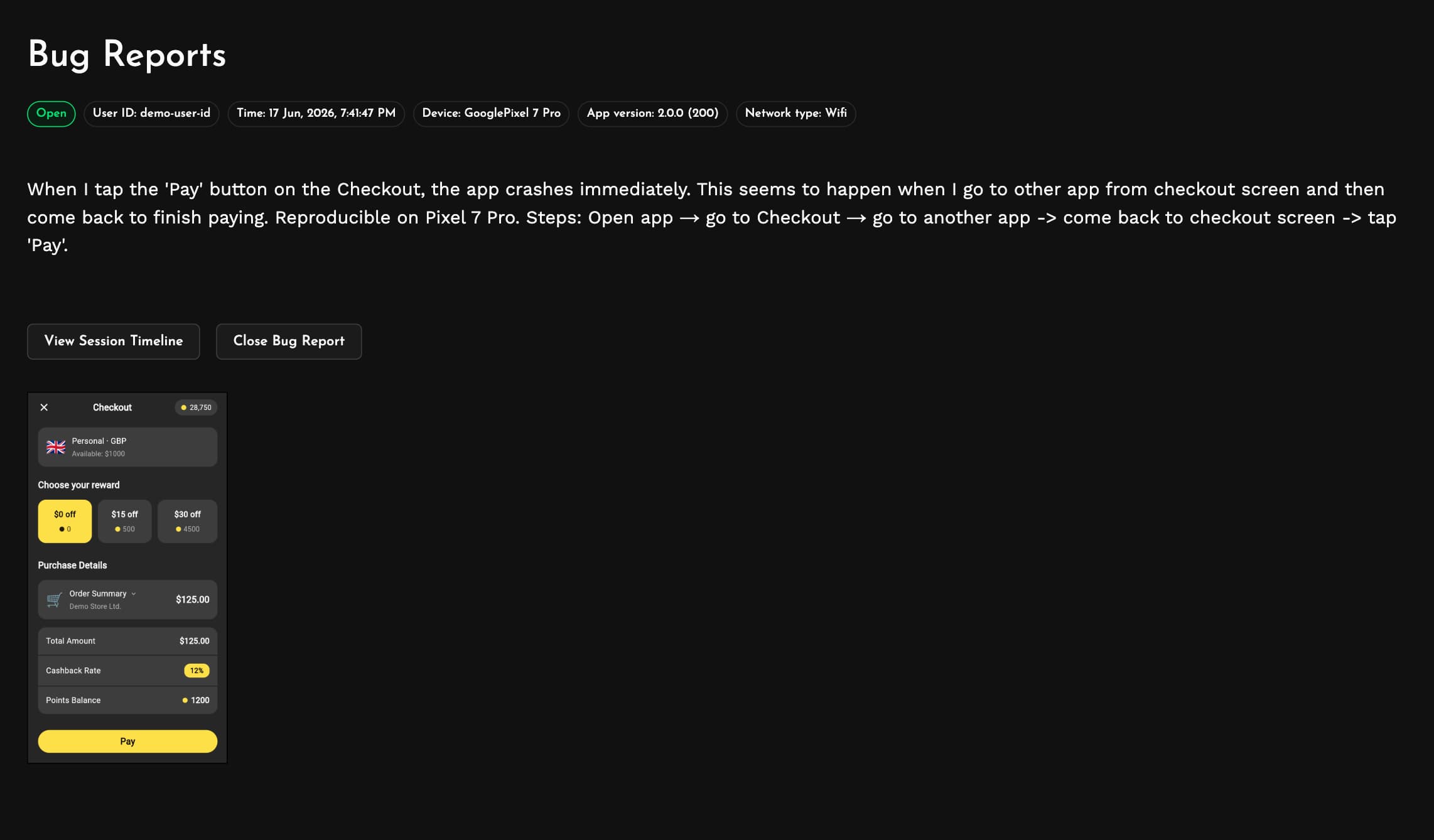
Let people report a problem the second they run into it with Bug Reports, triggered by a shake or from a button you wire up through the SDK. Each one packages device details, app version, network conditions and a screenshot next to the user's own description, and allows you to jump straight to the matching session replay.
Forget the back-and-forth of email and support tickets. Your users explain the issue in their own words and you get every bit of context needed to resolve it.
User Journeys
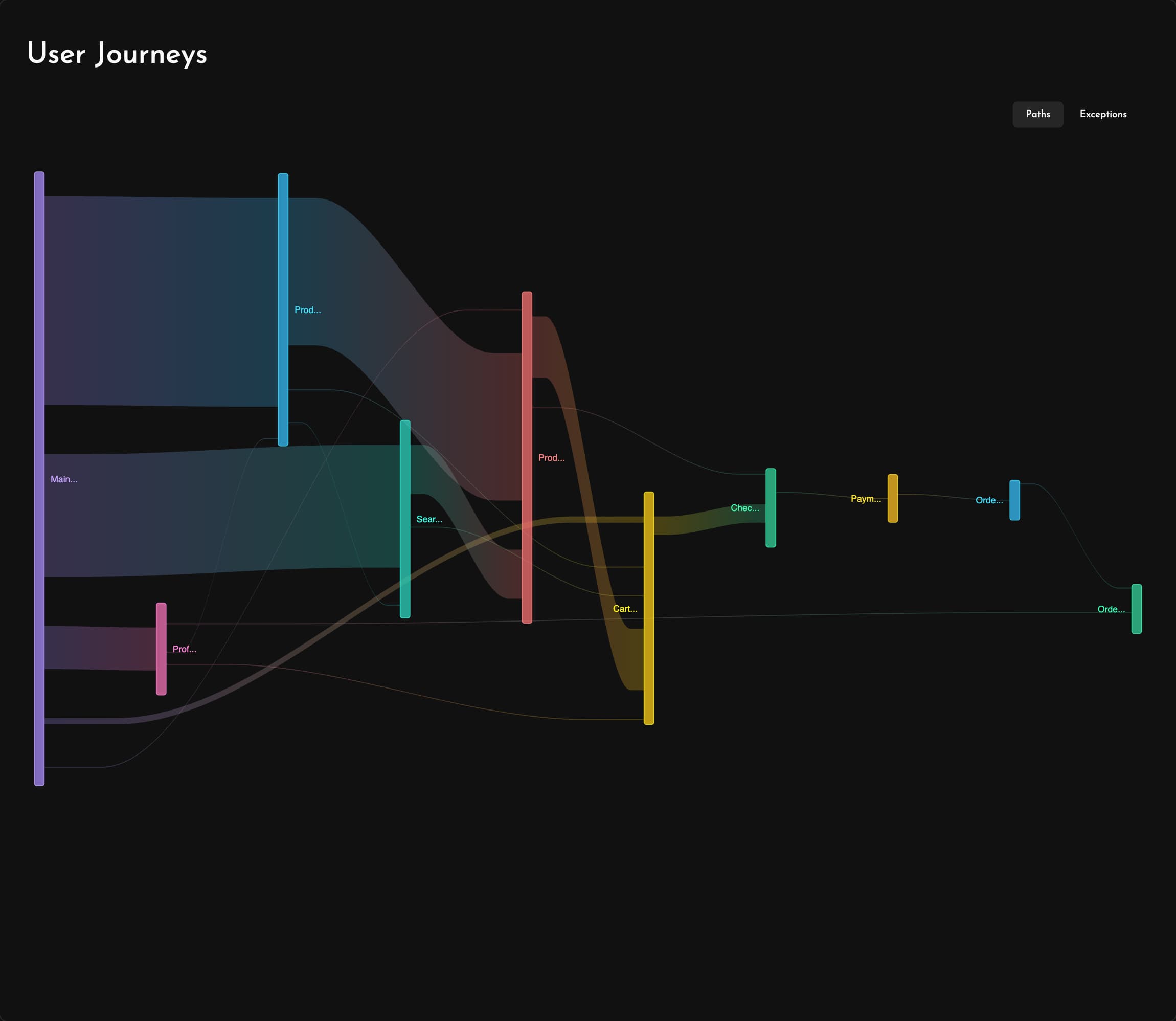
Follow the real paths people take through your app with User Journeys. Every screen transition is charted automatically into clear flow diagrams, and the exception view marks exactly where issues derail those flows.
Deciding what to fix first? See which routes carry the most users so you can unblock the busiest ones ahead of the rest.
Network Monitoring
See every request your app makes with Network Performance. Follow how HTTP status codes shift over time and drill into your heaviest endpoints ranked by latency, error rate and call volume to find the requests degrading your app performance.
Catch endpoints going bad early and take care of the API calls your users depend on most.

Coding Agents
Bring Measure's full context into the coding agents you already work with. The Measure MCP server hands any agent your crashes, performance traces and session replays, directly from your IDE, editor or terminal.
Point it at a crash, have it work through user sessions, or build it into an agentic triage and debugging pipeline. Whether you prefer commercial tools or open source agents and models, Measure drops straight into your workflow.
Works great with Claude Code, OpenAI Codex, Google Antigravity, Cursor, OpenCode, Pi, Devin, Kilo Code, Cline, Roo Code and others.





