



Measure for Android 
Measure is an open source, mobile first monitoring platform built for Android. Measure gives you all the context you need to decrease crash rates, increase app performance and deliver smoother experiences for your Android app users.
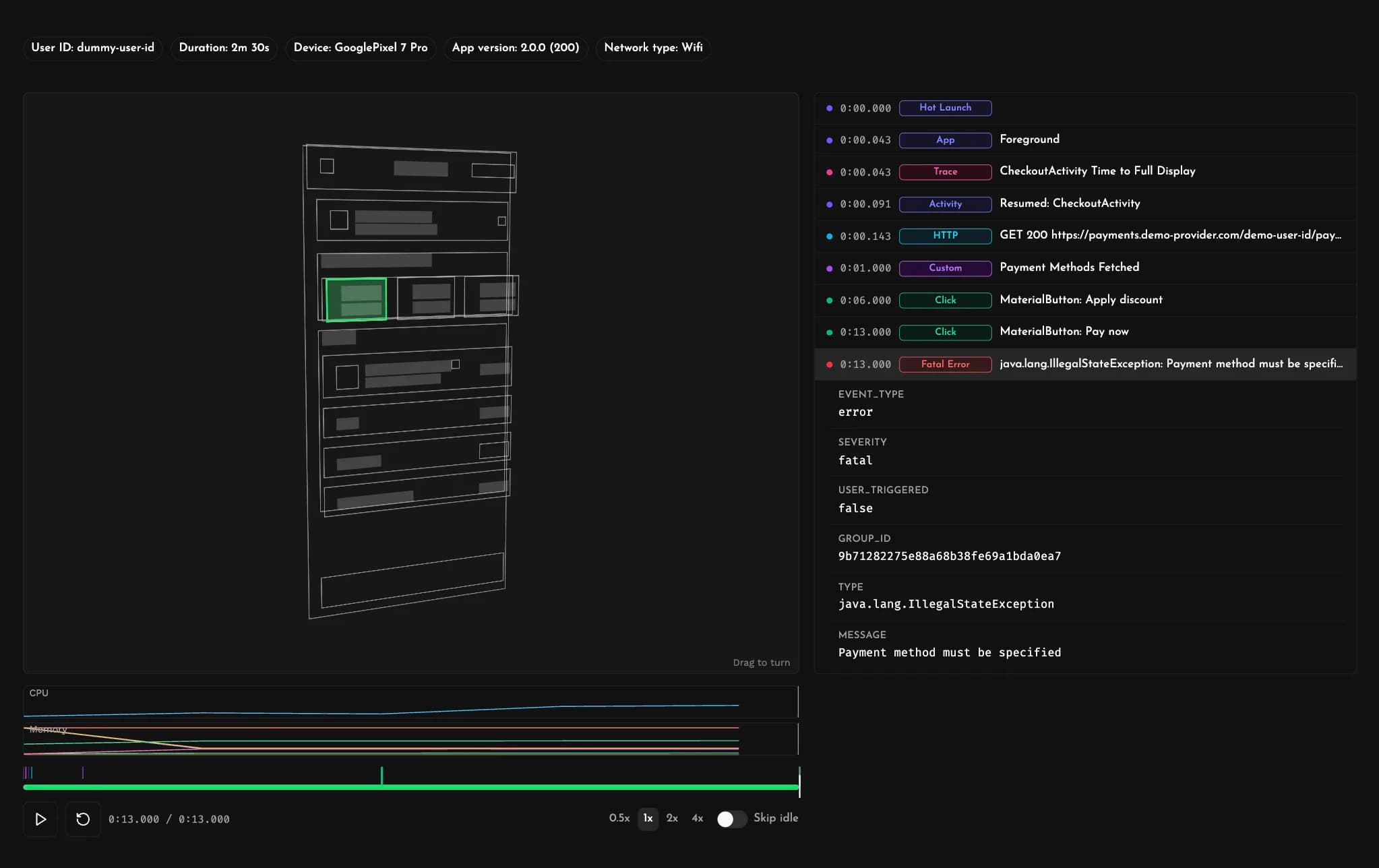
Session Replays
Every crash and ANR in your Android app arrives with a full Session Replay. Replay the exact sequence of events that led to the issue — gestures, navigation, network calls, logs and lifecycle events — with CPU and memory signals right alongside.
Stop guessing from a stack trace and see exactly what the user and the app did leading up to the moment things went wrong.
Detailed Stack Traces
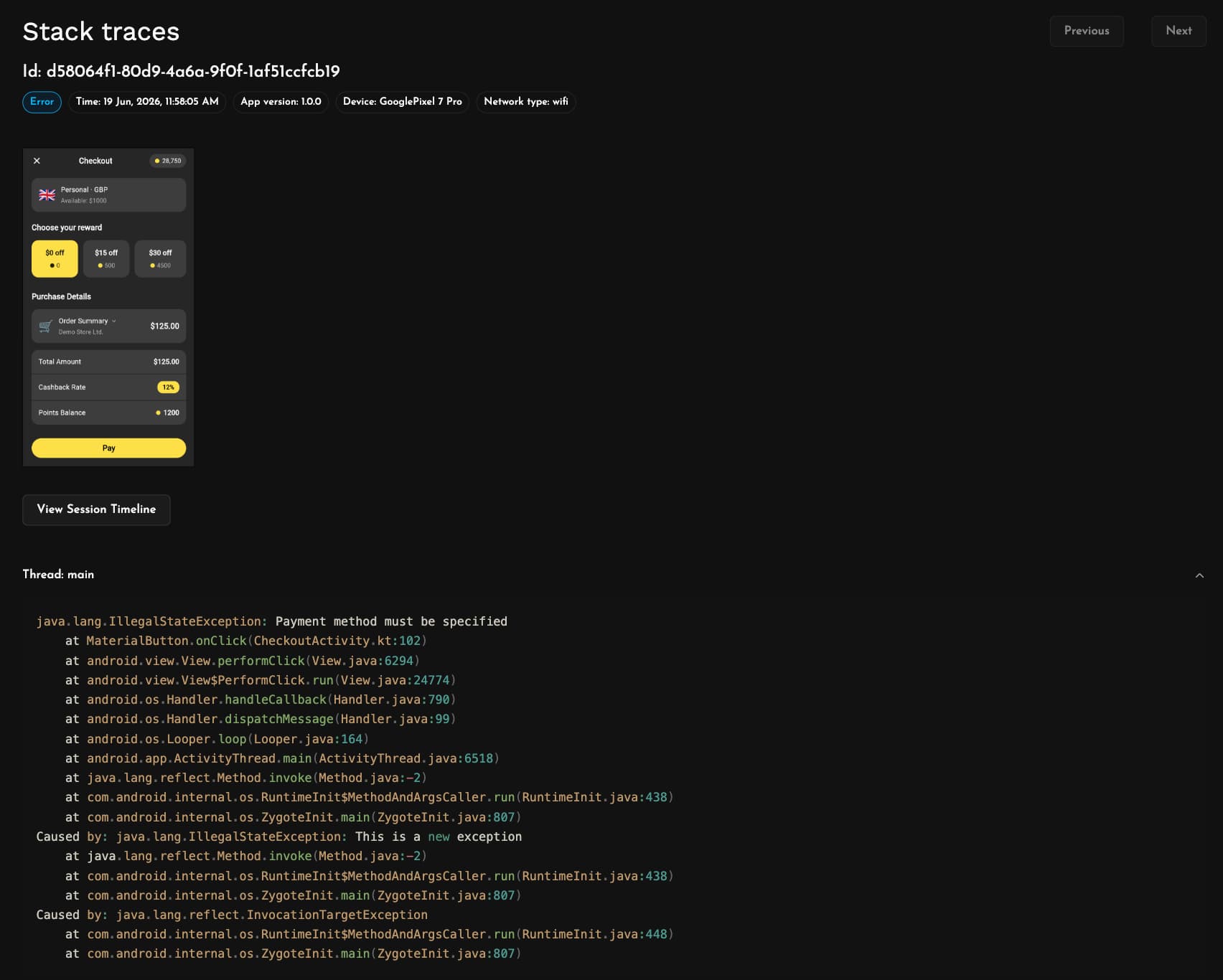
Every crash and ANR comes with a full stack trace captured across every thread, so you can figure out what each thread was doing, not just the one that threw the error.
Stack traces are automatically deobfuscated, mapping minified R8 and ProGuard output back to your original class and method names with their intact line numbers. Mapping files are automatically uploaded by our Gradle plugin so you can focus on fixing issues and let Measure handle the boring stuff.
Performance Monitoring
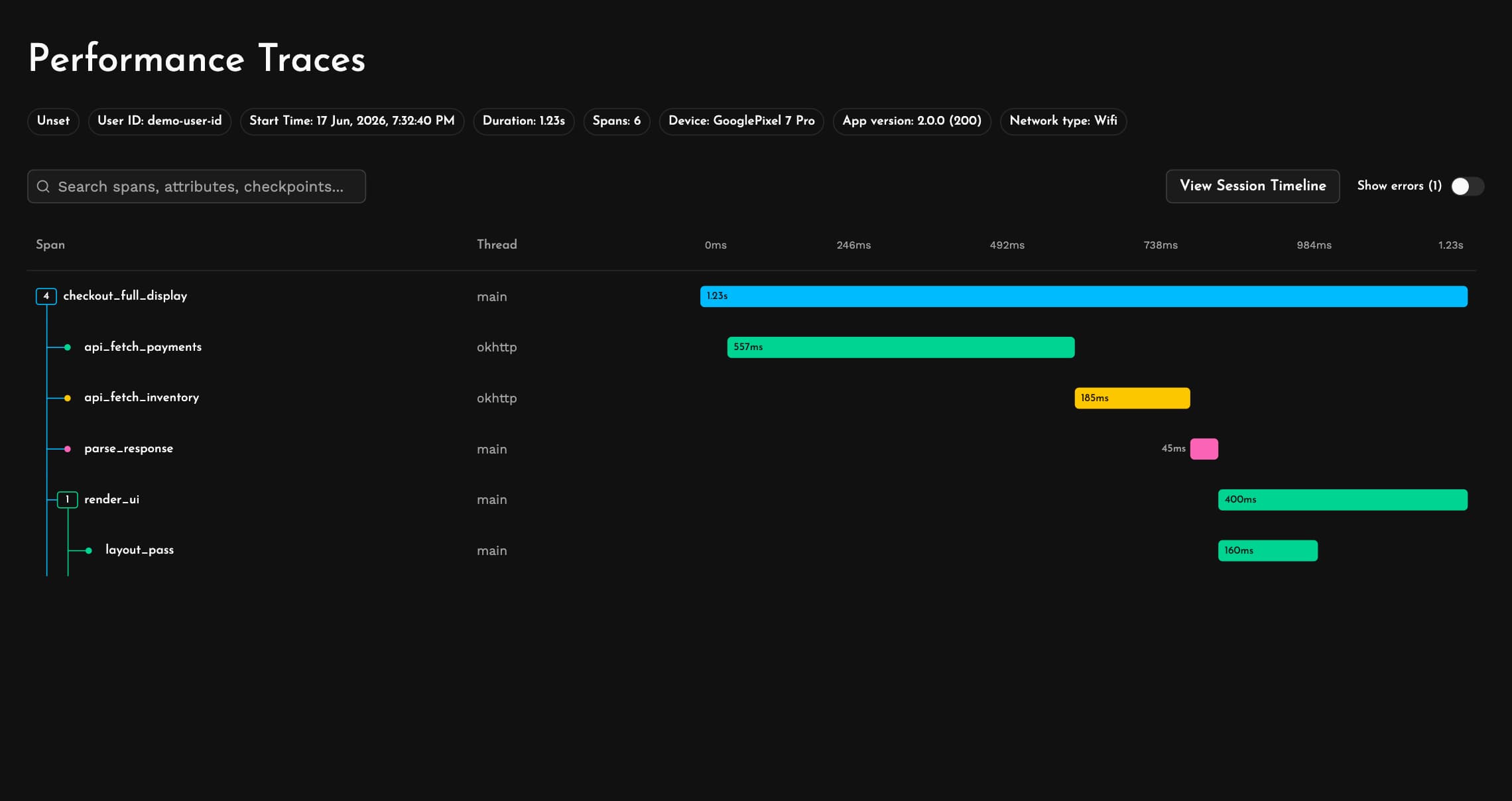
Instrument the operations that matter most with Performance Traces. See how API fetches, database calls, expensive code paths and screen rendering stack up within a single user flow or across millions of sessions with waterfall charts that make bottlenecks obvious.
Traces carry rich device and app context linking back to full session replays, so you can tie slow operations to the environment they happened in.
App Health
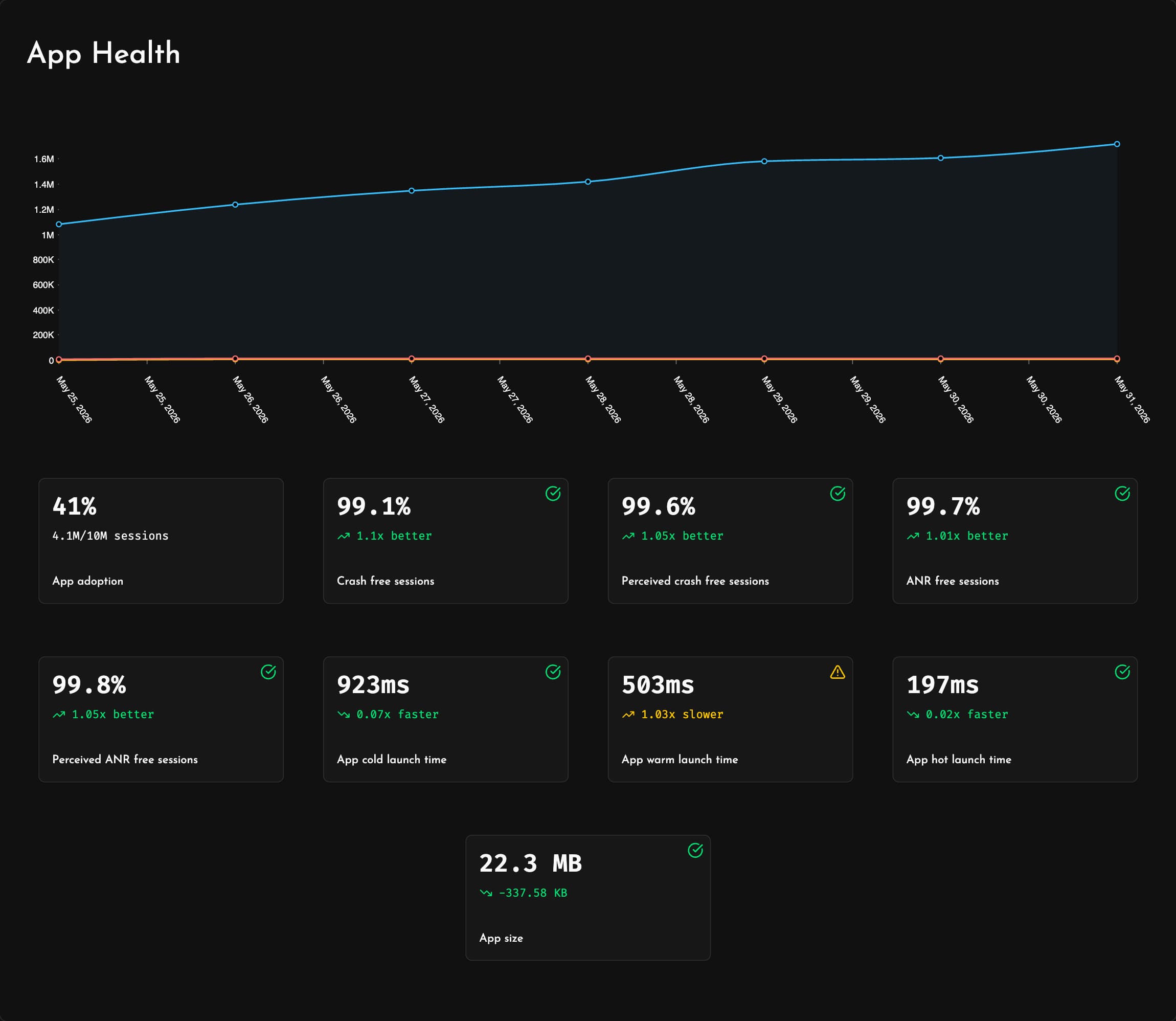
Stay on top of every release with App Health. Track app adoption, crash-free and ANR-free sessions, error rates as your users actually perceive them, app size, and launch times across cold, warm and hot starts.
Spot a bad rollout early and fix it before it reaches the rest of your users.
Bug Reports
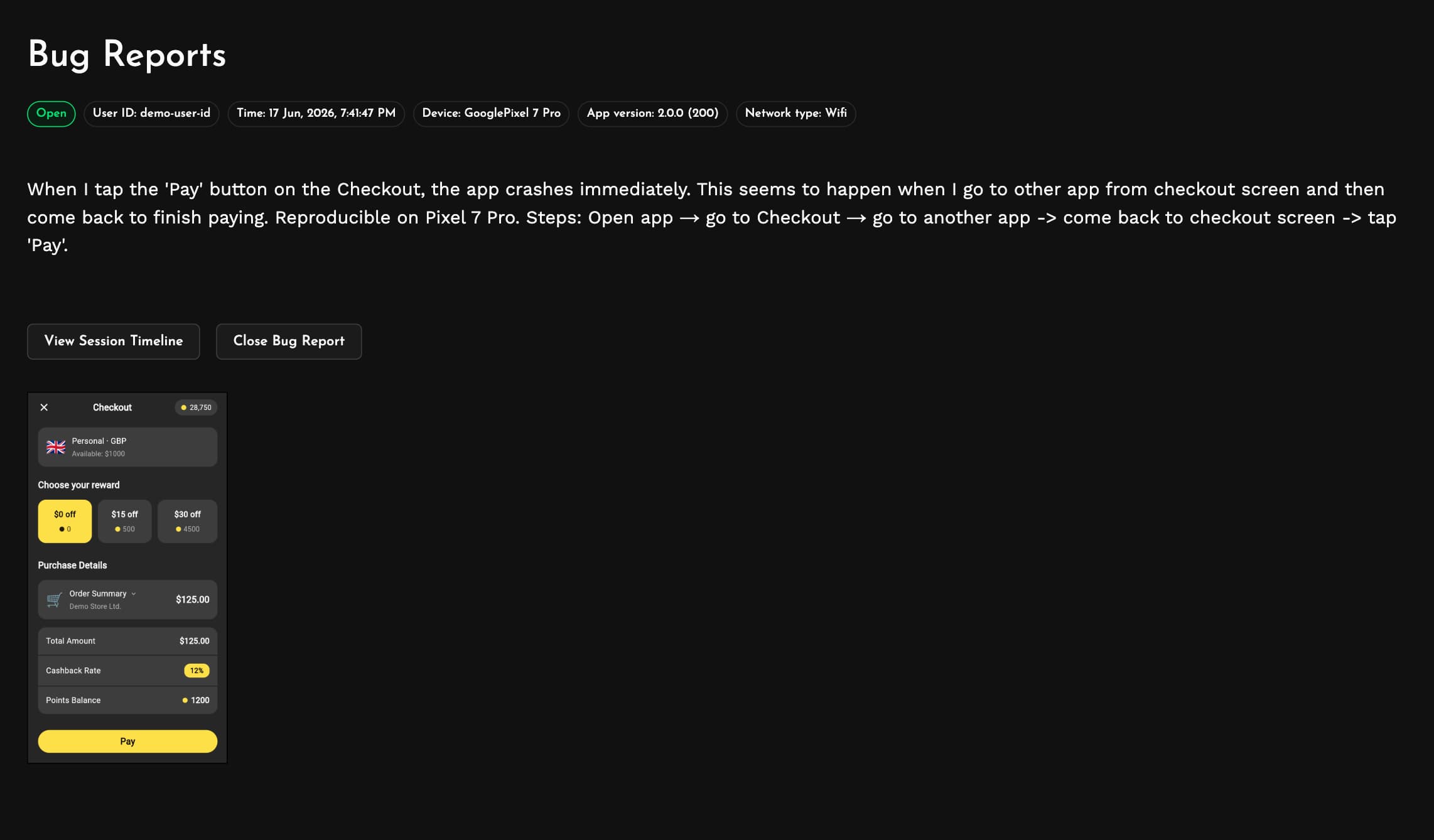
Let users report problems the moment they see them with Bug Reports, triggered by a device shake or a call to the SDK from your own button. Each report captures device information, app version, network conditions and screenshots alongside the user's description, and links straight to the complete session replay.
Skip the email threads and support ticket back-and-forth. Your users describe the issue in their own words and you get all the context you need to solve it.
User Journeys
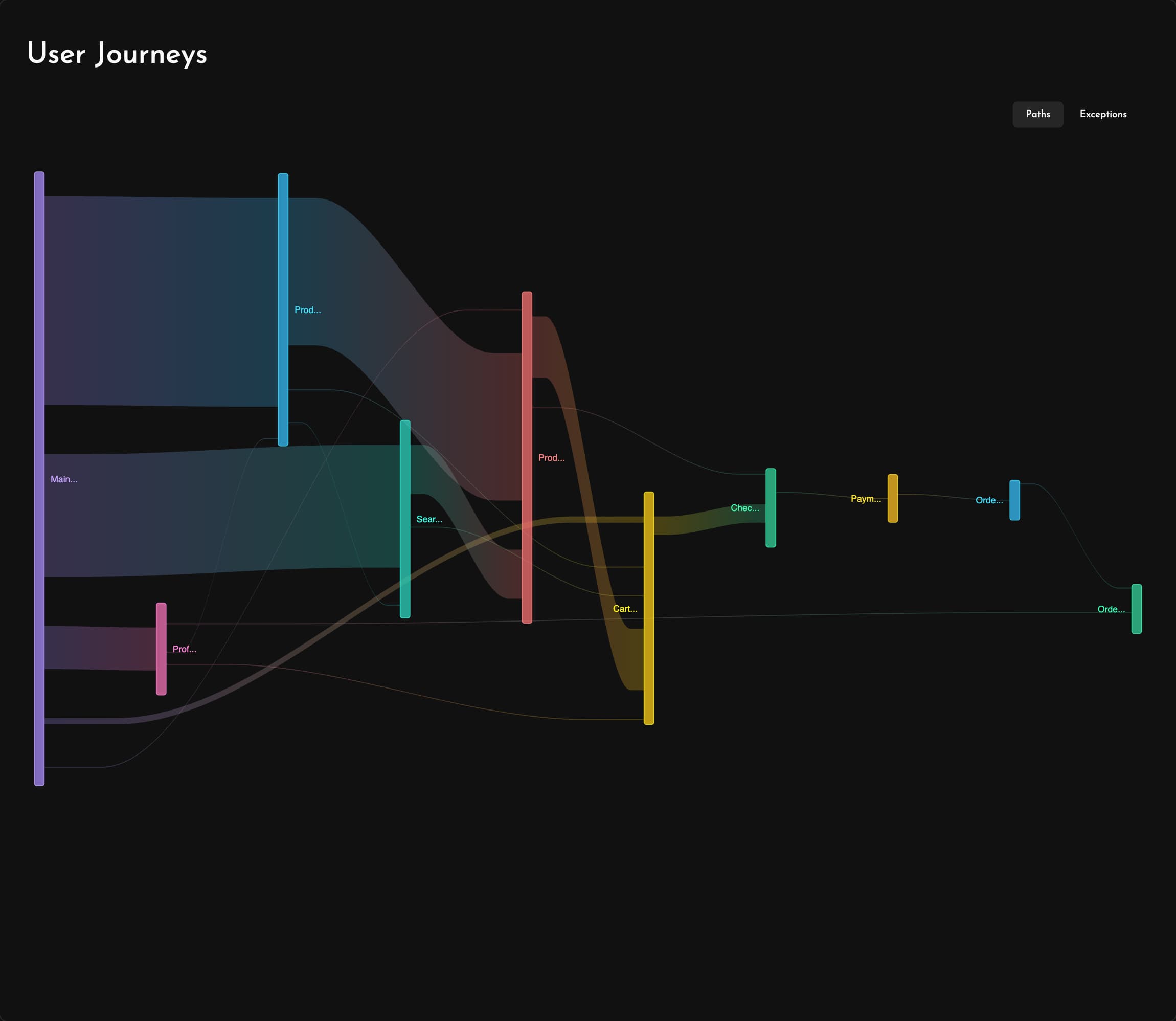
See the real paths users take through your app with User Journeys. Every screen transition is mapped automatically into clear flow diagrams, and the exception view shows exactly where issues interrupt those flows.
Short on time and figuring out what issues to prioritize? Easily see which paths are important to users so you can unblock them first.
Network Monitoring
Watch every request your app makes with Network Performance. See HTTP status code distributions over time and drill into your top endpoints ranked by latency, error rate and request frequency to find the calls slowing your app down.
Catch degraded endpoints early and optimize the API calls that matter most to your users.

Coding Agents
Bring all of Measure's context into your favorite coding agents. The Measure MCP server gives any coding agent access to your crashes, ANRs, performance traces and session replays, straight from your IDE, editor or terminal.
Ask it to help you debug a crash, analyze user sessions or use it to set up an agentic issue triage and debug pipeline. Whether you prefer commercial tools or open source agents and models, Measure fits right into your workflows.
Works great with Claude Code, OpenAI Codex, Google Antigravity, Cursor, OpenCode, Pi, Devin, Kilo Code, Cline, Roo Code and others.





