

Bug Reporting
Let users report bugs from inside your app with screenshots.
Measure lets users report bugs from inside your app, so you hear about the problems directly from customers.
Each report can hold up to five screenshots and a description of up to 4,000 characters entered by the user. Screenshots use the same screenshot mask level as the rest of Measure, so sensitive content stays out.
Launch the bug report screen
Every SDK ships a native bug report UI. It captures the current screen automatically when triggered, and users add more before they send. Launch it with a single call:
import sh.measure.android.Measure

Measure.launchBugReportActivity(takeScreenshot = true)
On Android and iOS, you can theme the screen to match your app.
| Dark mode | Light mode |
|---|---|
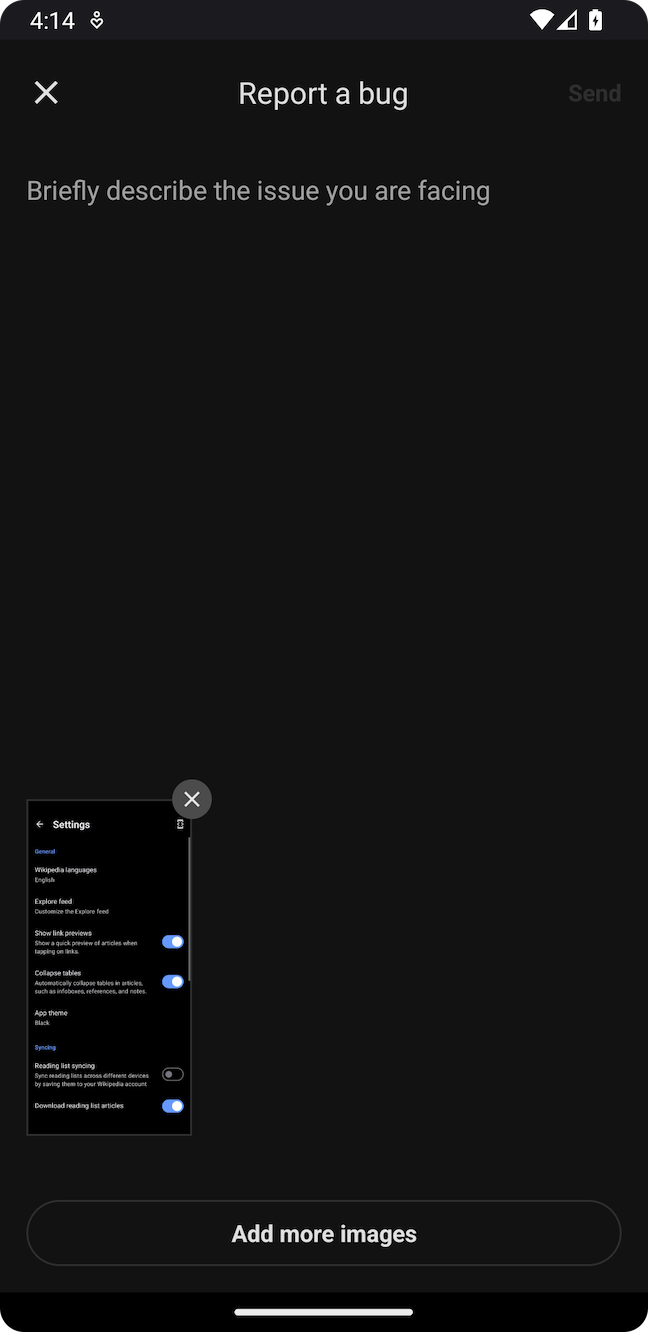 | 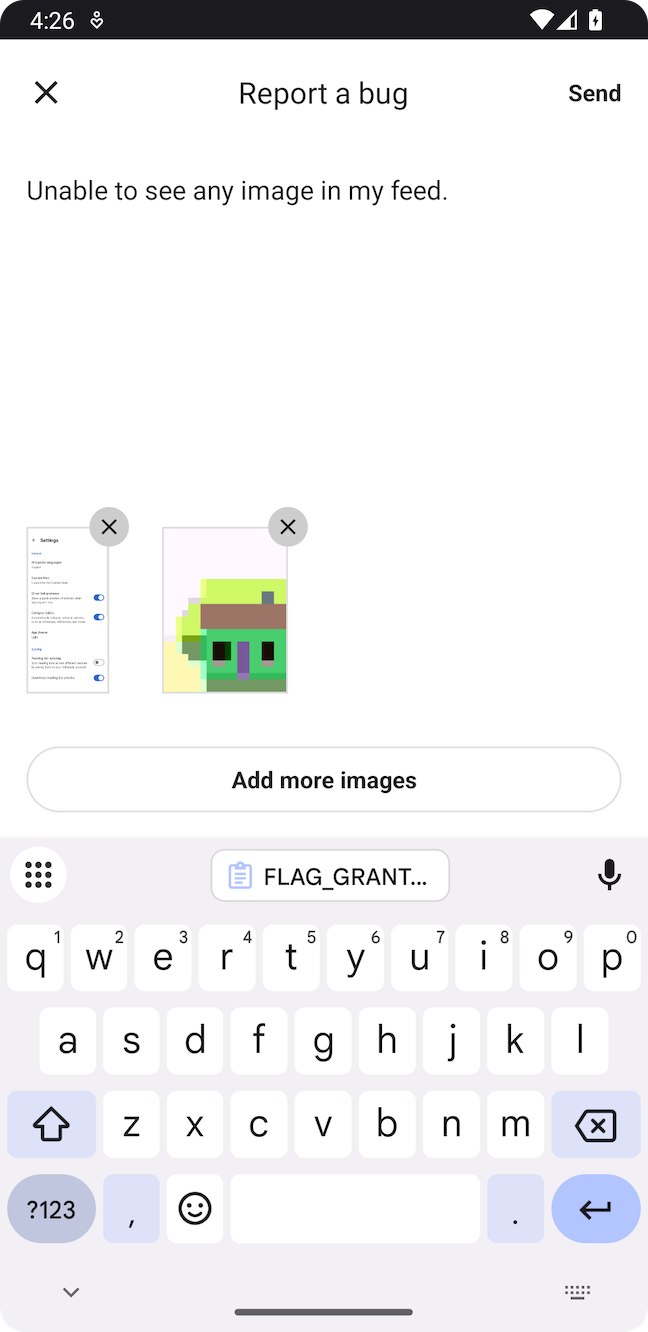 |
Shake to report
Users can also open a bug report by shaking their device, from anywhere in the app. Register a shake handler to enable it:
import sh.measure.android.Measure
import sh.measure.android.bugreport.MsrShakeListener

Measure.setShakeListener(object : MsrShakeListener {
    override fun onShake() {
        Measure.launchBugReportActivity()
    }
})
Pass a null handler to turn shake to report off again.
Session replay
Each bug report comes with a session replay. It's an ordered list of what happened leading up to the bug report: the screens opened, taps, network calls, errors, and logs. Use it to retrace exactly what the user did before reporting the bug.
By default the replay covers the 5 minutes before the report. Change how far back it reaches from the dashboard through Adaptive Capture.
Custom attributes
Attach custom attributes to a report to carry context that helps you triage, like the user's plan, an order ID, or the screen they were on. You can then filter and group reports by them in the dashboard. Attributes attach in either flow, whether you open the bug report UI or call trackBugReport from your own.
import sh.measure.android.Measure
import sh.measure.android.attributes.AttributesBuilder

val attributes = AttributesBuilder().put("screen", "Cart").build()

Measure.launchBugReportActivity(takeScreenshot = true, attributes = attributes)
Measure.trackBugReport(description = "...", attributes = attributes)
See Attribute limits for the allowed keys and values.
Build your own UI
If you already have a bug reporting UI, or want to build one that matches your app, submit the report with trackBugReport. Descriptions can be up to 4,000 characters, with up to five attachments.
import sh.measure.android.Measure

Measure.trackBugReport(description = "Cart items disappear after reopening the app")
Configuration
Bug reports are configured remotely through Adaptive Capture, so you can change what's collected without shipping a new build.
| Option | Default | Description |
|---|---|---|
| Session replay duration | 5 minutes | How far back the replay reaches before a report. |
See Bug reports for the setting.
Think this page can be better?
Open an issue