



Off the Main Thread: September 2026
Pull up a chair, here's what we did in September: a new filter bar, memory monitoring, a better errors page, layout snapshots for every screen and more.

Abhay Sood
Here's what we shipped in September.
See your app's memory usage in production 💾
You can now see how much memory your app uses in production on Android and iOS, and whether it's getting worse. The new Memory page shows memory usage across app versions.
You can study memory usage by the device's total RAM to check whether a particular tier is struggling more than others. You can also filter by device manufacturers and any device too.
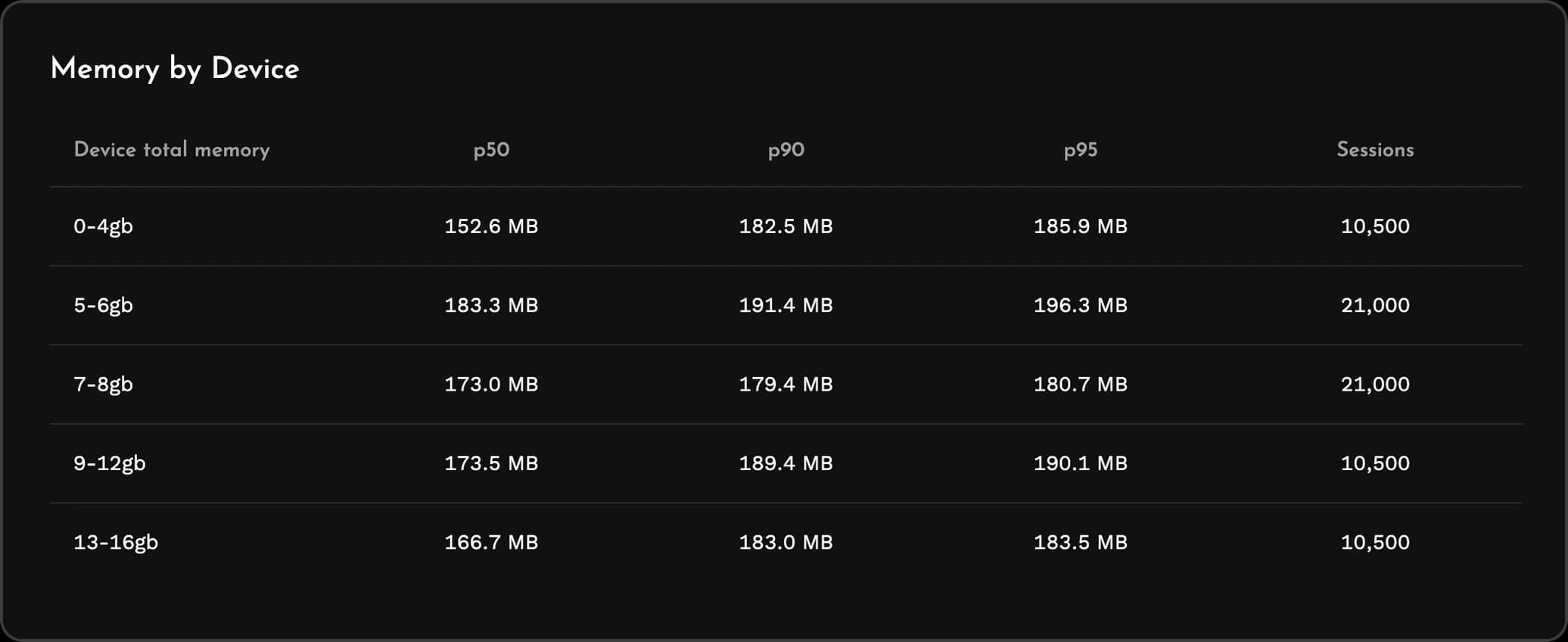
Sessions with unusually high memory usage are automatically flagged. You can view session replay of such sessions and understand where the problem lies.
Read our post on understanding memory usage of Android apps for more details.
A new filter bar on every page 🔎
Filters used to be a few fixed dropdowns plus a "More filters" dialog of checkbox lists. You could only include values from those lists and the UI was a bit clunky.
The new filter bar lets you build the filter you actually have in mind. You can exclude values, match part of a value, filter on custom attributes the same way as any other key, and combine conditions with AND and OR, including groups inside groups. If you prefer typing, you can edit the same filter as text.
Filters are now part of the page URL. If you copy the link and send it to a teammate, they open the same filtered view.
A better errors page ✨
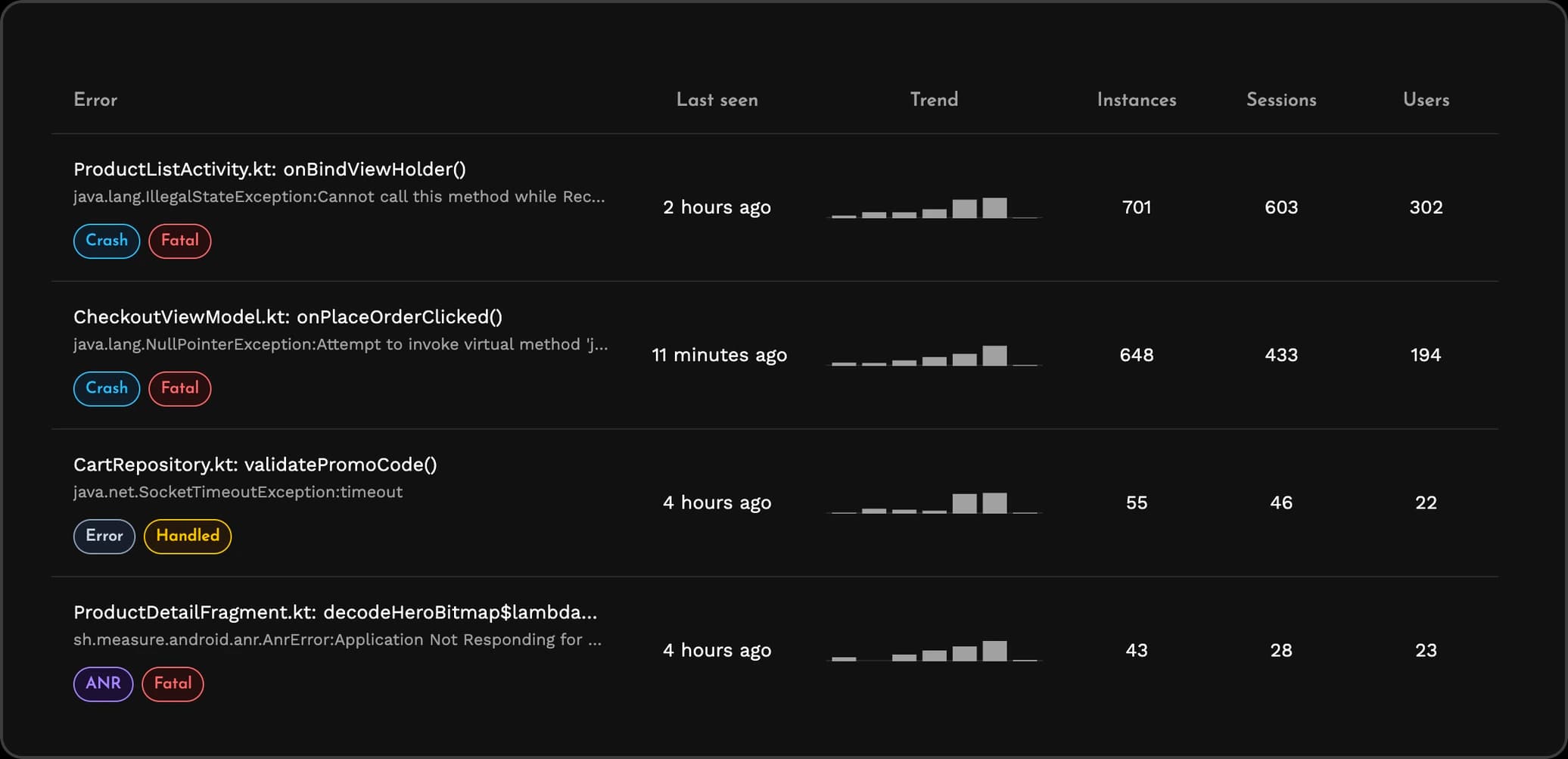
The errors list now shows when each error was last seen, a trend of how often it happens, and how many users and sessions it affected.
See every screen in session replay 📸
Session replay now collects layout snapshots for every screen user visits automatically. Earlier layout snapshots were only collected on clicks. When you open a session to find out why something went wrong, you can now see each screen the user went through.
Some of these features are only available with latest SDK versions. Update to Android SDK 0.21.1, iOS SDK 0.14.1, Flutter SDK 0.8.0, React Native SDK 0.4.1 or KMP SDK 0.3.0 or later.
Giving back to the community 🤝
Measure is shaped by contributions and feedback from mobile developers, and we're lucky to be in a position to give something back. In September we supported a few community events:
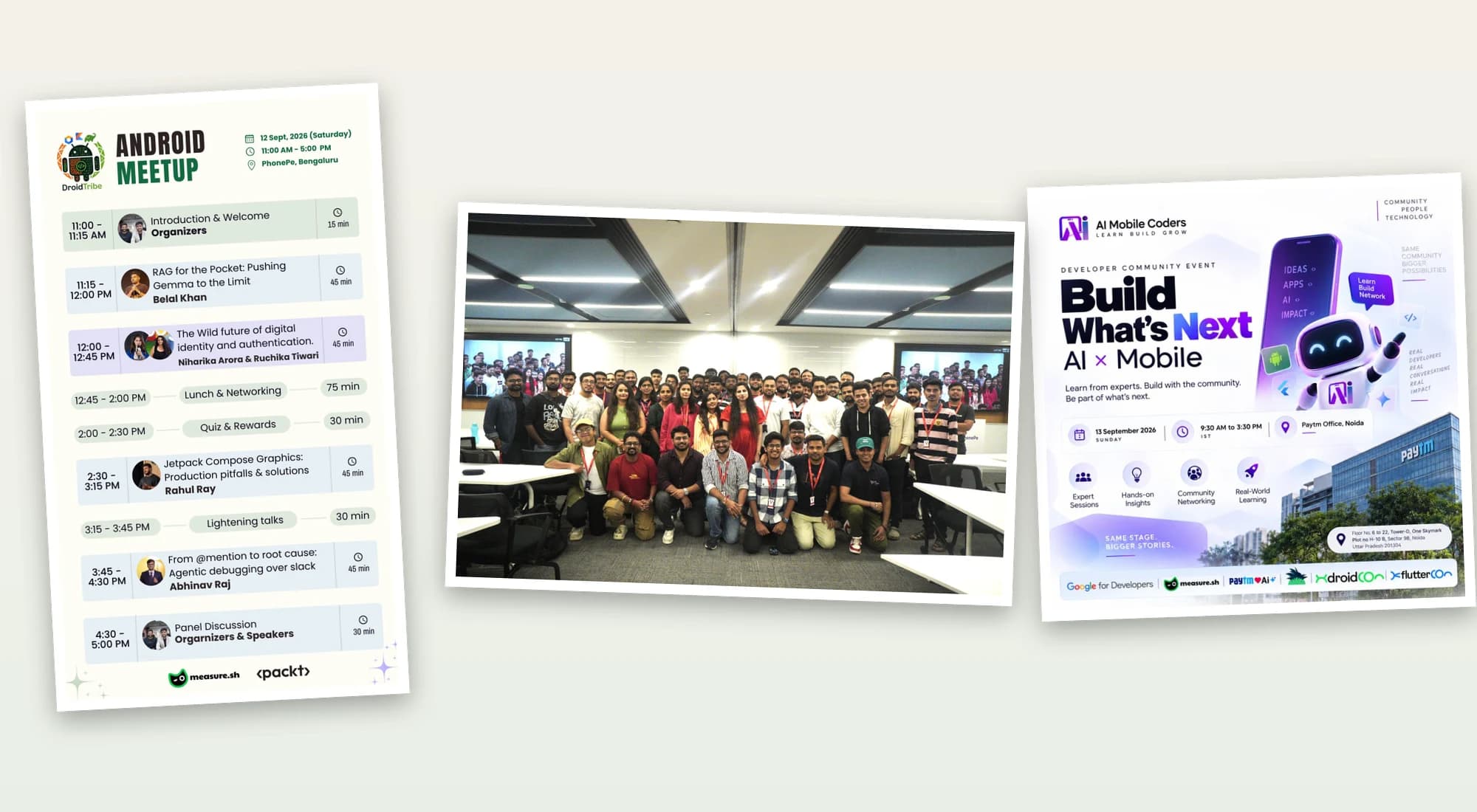
- DroidTribe Bengaluru meetup at PhonePe, Bengaluru.
- Build What's Next: AI × Mobile by AI Mobile Coders at Paytm, Noida.
- Mobile Architecture Lab, a hands-on lab for senior mobile engineers at Paytm, Mumbai.
Caught our eye 👀
A few things we liked:
- Breaking Frozen Frames: Phased Rendering for Feature Rich UIs by Sinan Kozak. A talk on splitting the rendering of a heavy screen into phases so it doesn't freeze.
- AI made me doubt everything about programming by Felienne Hermans. An alternate history of AI and what it means for the future of programming.
- The mustache keeping us online by Carisa Hendrix & Lucy Darling. Nothing to do with mobile apps, just a good laugh.
Tell us what you think
That's all about September. If something doesn't work the way you expect, or there's something you'd like us to build next, come talk to us on Discord or open an issue on GitHub.