


Weekly releases might be hurting your Android app's performance
Why weekly releases can make your Android app slower after each update. Learn why baseline profiles are a must for weekly releases.

Abhay Sood
A lot of Android teams ship a new version every week. Google Play can take days to build a cloud profile for each new version. With a weekly release, most of your users may update before then and get no benefit from it. If your app doesn't ship a baseline profile, those users run a slower app.
Let's look at why this happens.
What are Google Play cloud profiles?
While an app runs, ART records which methods run and writes them to a profile on the device:
/data/misc/profiles/cur/0/com.example.app/primary.profAbout once a day, when the device is idle and charging, a background job compiles the methods in that profile.
Google Play combines these profiles from many users into one cloud profile for each version of the app. Once a cloud profile exists, Play sends it along with the APK whenever someone installs or updates the app. Android compiles the methods in it during install.
Building a cloud profile takes time. According to Google's Baseline Profiles overview, it can take several hours to days after an update. For smaller apps, it can take weeks. The more users an app has, the sooner Play has enough data to build one.
Google reported in 2022 that cold starts are at least 15% faster when a cloud profile is available. The data comes from the first users of each release. Everyone who installs the release after them gets a faster app.
Interpreter, JIT and AOT compilation
An app ships as dex bytecode, but the CPU can only run machine code. Android Runtime (ART) has three ways to run the bytecode:
- The interpreter runs the bytecode one instruction at a time. It can start right away, but it's the slowest.
- The JIT compiles methods that run often while the app is running. It keeps the compiled code in memory, so it's lost when the process dies.
- AOT compiles methods to machine code before the app runs and saves it to disk.
AOT-compiled code is the fastest. So why not compile every method that way? Because compiled code takes a lot of space. In one of our internal apps, 6.7 MB of dex code turned into 23 MB of compiled code. So Android only compiles the methods listed in a profile ahead of time. Everything else is interpreted or JIT-compiled.
We go deeper into all three in JIT vs AOT compilation on Android.
What happens when you ship every week
When an app updates, Android deletes the AOT-compiled code from the previous version.
Every new release starts without a cloud profile, because Play hasn't collected any data for it yet. Until then, your baseline profile decides what gets compiled during install. Without a baseline profile, the app's code is interpreted or JIT-compiled.
With weekly releases, Play often doesn't have enough time to build a cloud profile. Many users update to the next version before the cloud profile is ready. That new version needs its own cloud profile.
As a result, many of your users never get a cloud profile at all.
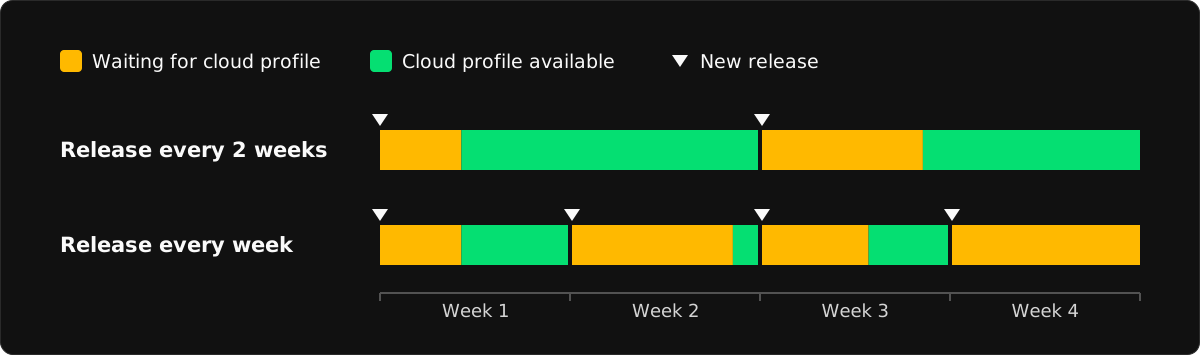
Does that mean you shouldn't release every week? Not at all. Lots of teams ship weekly. It just means you can't count on cloud profiles to make each release fast. A good baseline profile has to do that work instead.
Weekly releases need good baseline profiles
You generate a baseline profile at build time and ship it inside your app. Android compiles the methods it lists while the app installs. It works for every user from the first day of a release.
For users who update early, the baseline profile is all they get. Any code it doesn't list starts out interpreted or JIT-compiled. A good baseline profile covers app startup and the flows people use most.
A baseline profile doesn't replace a cloud profile. It only covers the flows you chose. A cloud profile is built from real usage. It often covers code that your baseline profile misses. Play combines both profiles once the cloud profile is ready.
Google Maps moved from a two-week to a one-week release cycle in early 2021. Google wrote that updating more often had two effects. Devices threw away their compiled code more often. More users also got slow launches without a cloud profile. Adding a baseline profile improved Maps' average startup time by 30%.
Meta's engineering team wrote about the same problem in 2025. Meta ships Facebook and Instagram every week. Every update throws away their compiled code. Meta built its own tooling to generate baseline profiles from production data instead of the usual Macrobenchmark setup.
What's inside a baseline profile
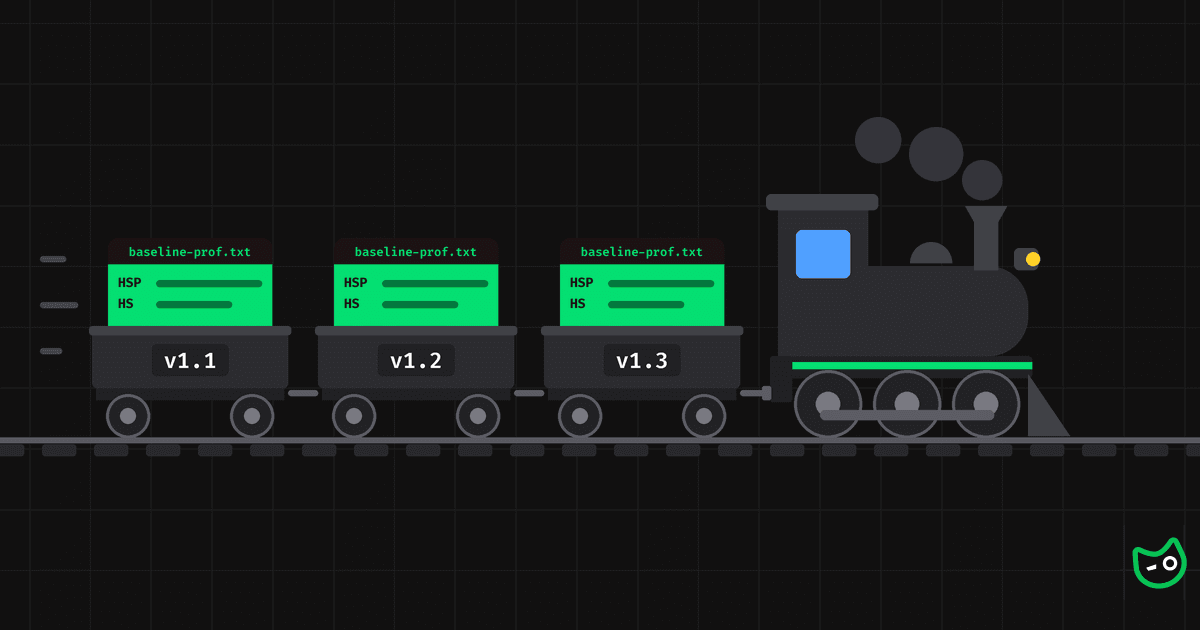
A baseline profile starts as a text file called baseline-prof.txt with one rule per line. A few rules look like this:
HSPLandroidx/compose/runtime/ComposerImpl;->updateValue(Ljava/lang/Object;)V
HLandroidx/compose/runtime/ComposerImpl;->validateNodeExpected()V
PLandroidx/compose/runtime/CompositionImpl;->applyChanges()V
Landroidx/compose/runtime/ComposerImpl;
Each line is a class or method name in dex format. The letters at the start are flags:
| Flag | Meaning |
|---|---|
H | Hot. The method runs many times. |
S | The method runs during startup. |
P | The method runs after startup. |
| None | A line with only a class name. The app uses this class during startup. ART prepares it when it compiles the app instead of loading it at startup. |
The Macrobenchmark library generates these rules. It runs the app's startup and a few key flows on a device. It records which methods ran and writes them to the file.
Libraries can also ship their own rules inside their AARs. At build time, the Android Gradle plugin merges all the rules and compiles them into a binary profile that goes into the APK.
Regenerate your baseline profile for every release
Baseline profile rules match methods by their exact signature. When a method is renamed or moved, its rule stops matching. New code like a new screen or a rewritten startup path has no rules at all. An old profile still works for code that hasn't changed, but it covers less of the app with every release.
So regenerate the profile before every release. The Baseline Profile Gradle plugin runs your Macrobenchmark journeys on a device and writes a new baseline-prof.txt. You can run it as a CI step before the release build.
Releasing every week doesn't have to make your app slower. Just keep in mind that weekly releases often won't get the benefit of cloud profiles.